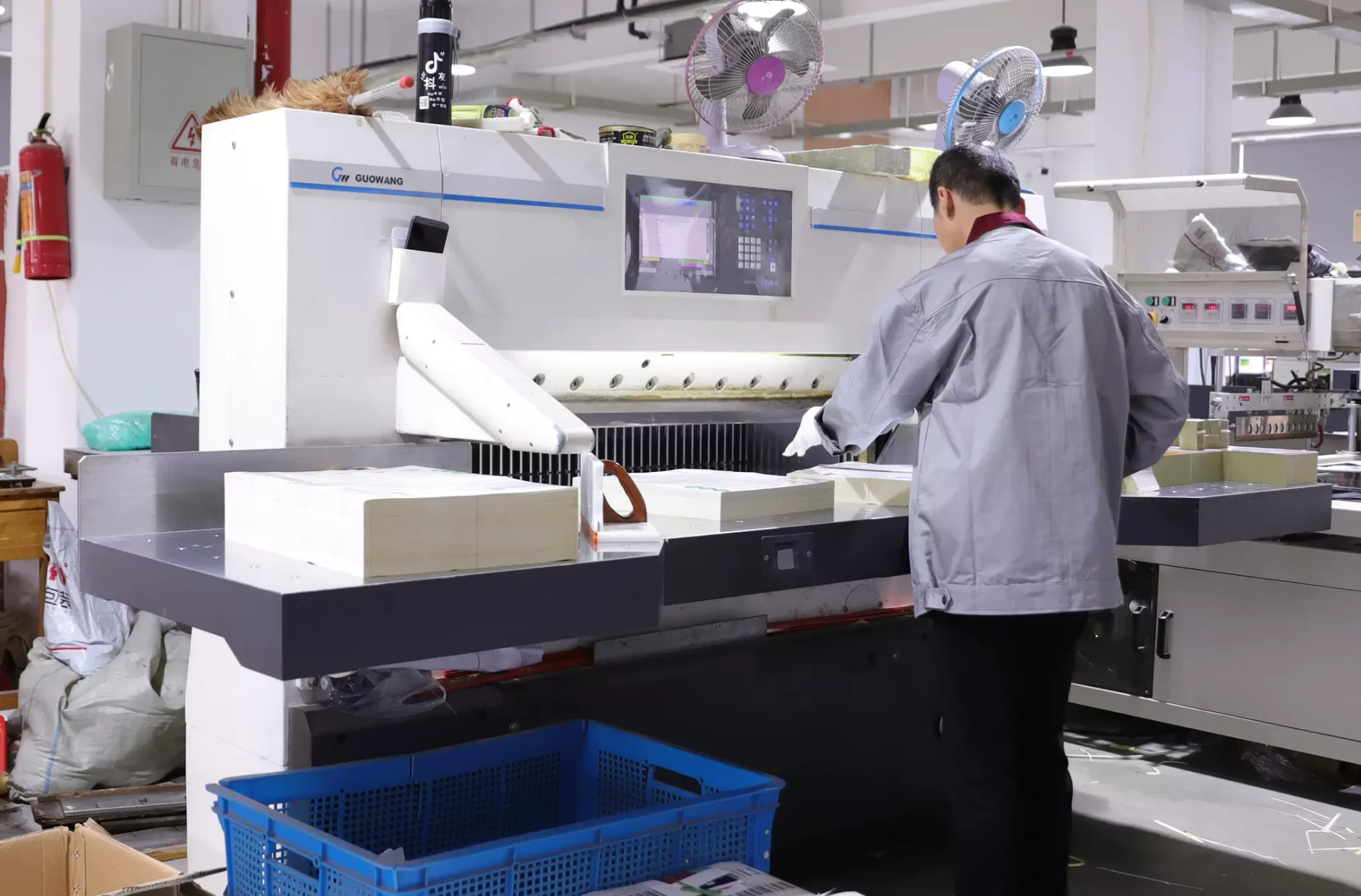
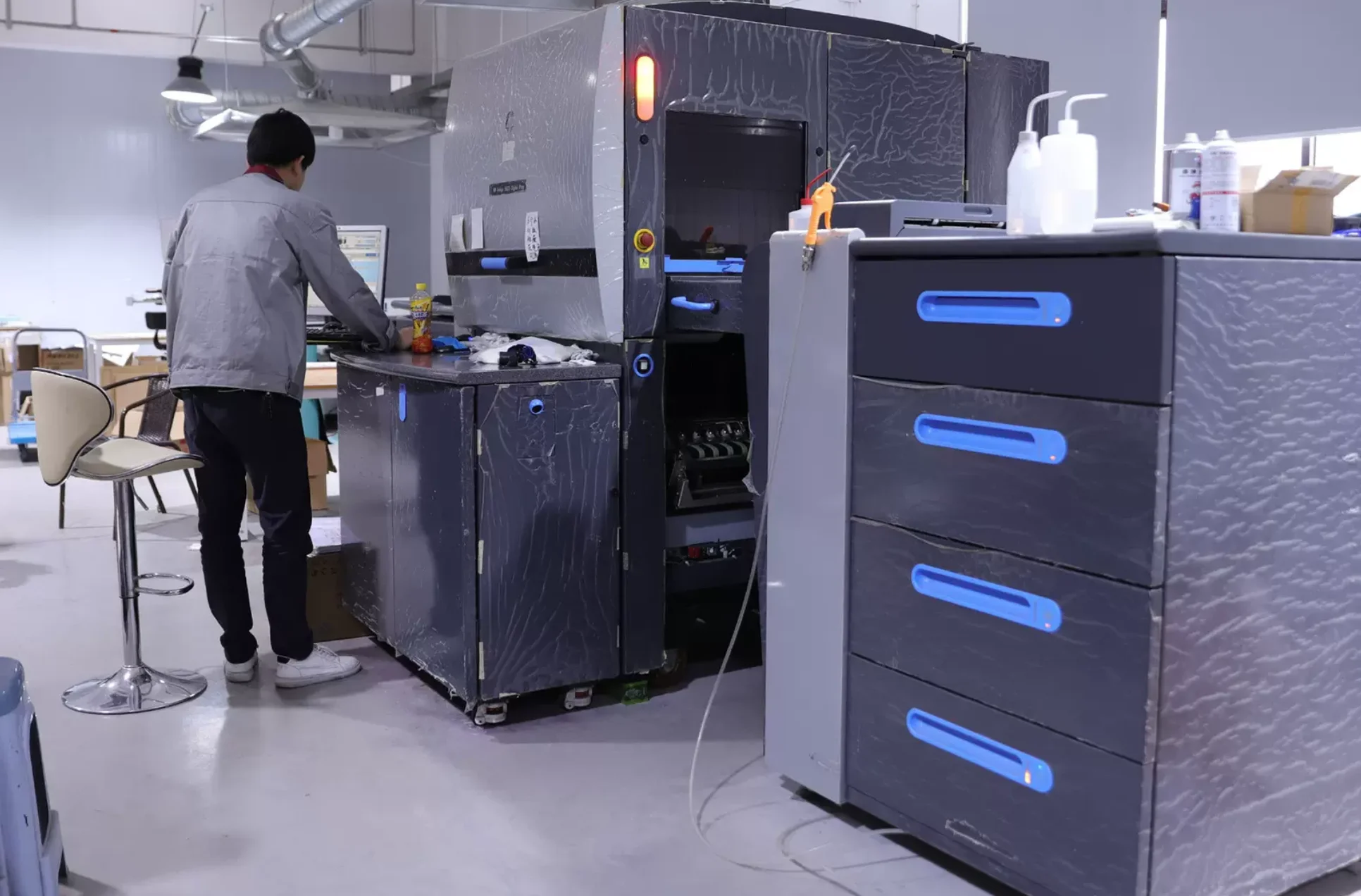
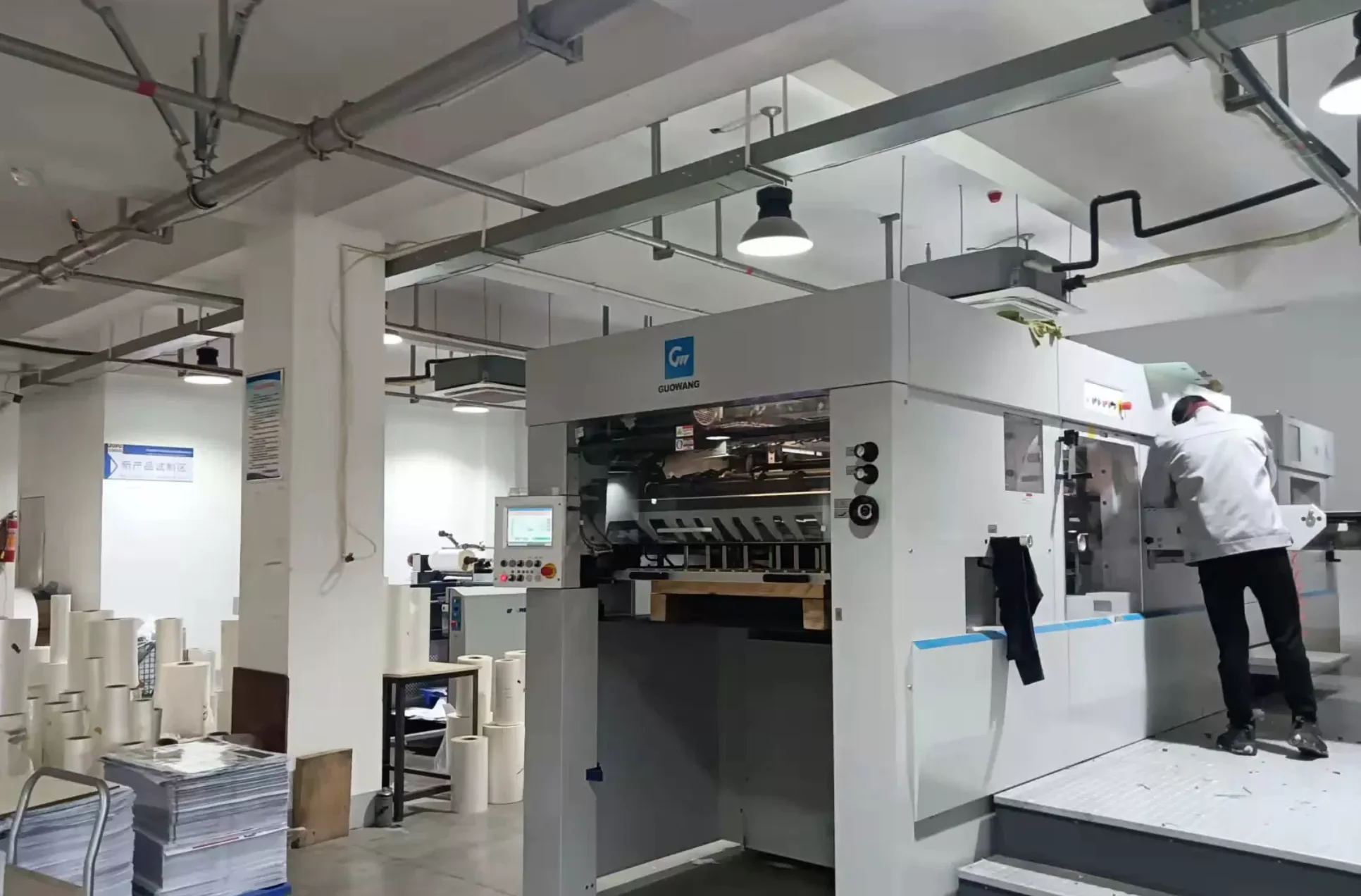
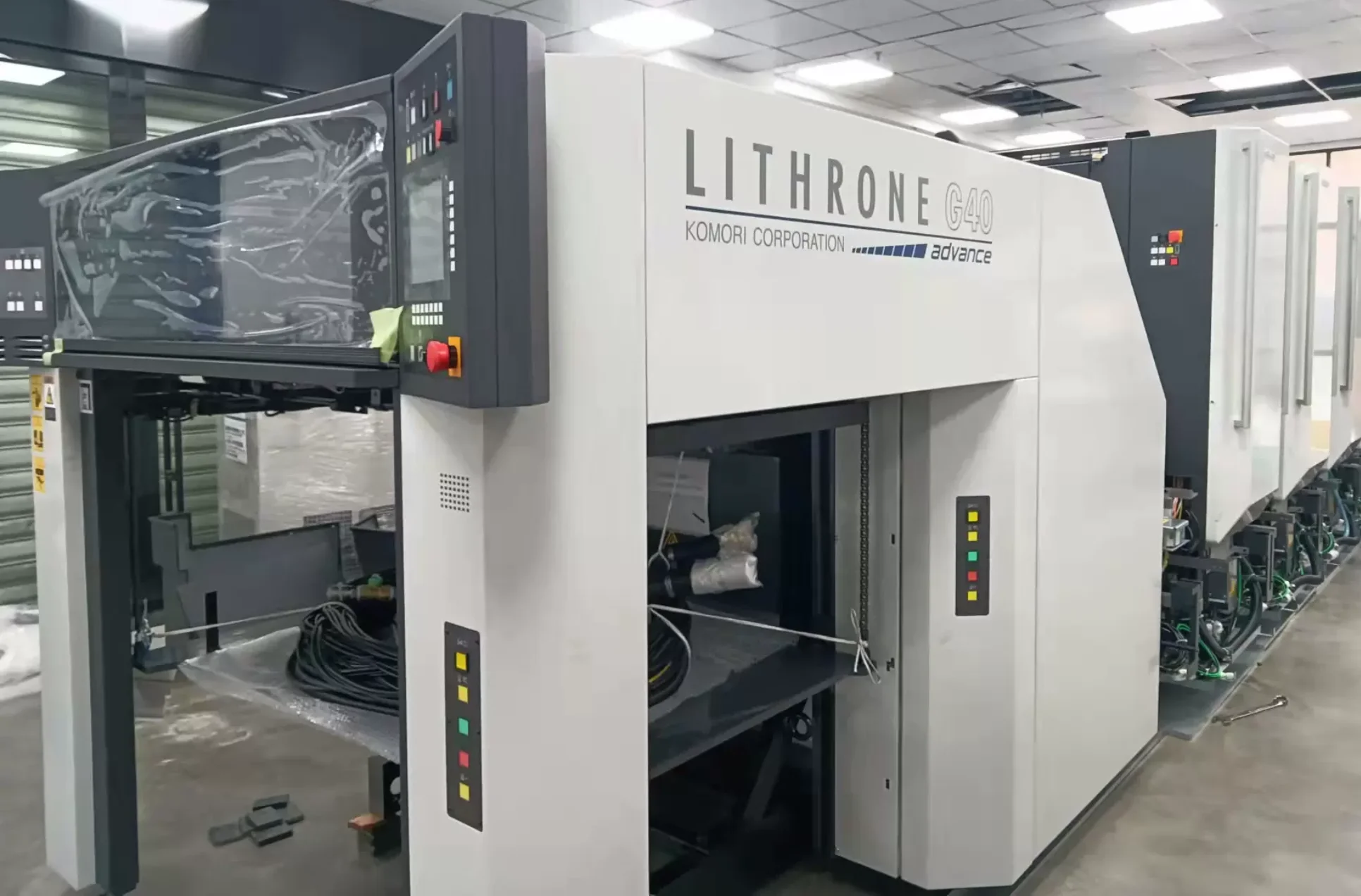
Your Trusted Custom Pizza Boxes Manufacturer

You get custom Custom Pizza Boxes that are built to perform at scale — with consistent structure, predictable quality, and stable repeat production, so your Pizza Boxes programs move forward without delays, rework, or supply-chain surprises.

Custom Pizza Boxes

At Borhen Pack, we focus on one thing: making sure your custom pizza boxes come out right — and stay right every time you reorder. When you’re sourcing at scale, you don’t want “pretty packaging.” You want boxes that close properly, stack safely, resist grease, and survive real delivery conditions without collapsing or warping. We build pizza boxes that perform consistently in production, in shipping, and in daily operations — so you can move volume with confidence.
 
We don’t treat your order like a generic printing job. We run it like a packaging program. That means we control the details that decide whether your project succeeds: board thickness, locking structure, cut precision, print clarity, carton packing, and pallet loading. Whether you need standard sizes like 12/14/16/18 inch, custom dimensions, kraft eco-style boxes, or corrugated strength upgrades, we make sure every batch matches your spec — not “close enough,” but repeatable enough to scale.
 
As your manufacturing partner, we’re here to make the whole process easier than you expect. We move fast on sampling, keep approvals simple, and make sure production and export delivery stay predictable. If you’re managing multiple SKUs, multiple markets, or seasonal promo versions, we’ll help you run it smoothly — so your pizza boxes arrive strong, look consistent, and keep your customers coming back. That’s what we mean by trusted manufacturing.

Custom Printed Pizza Boxes

Kraft Pizza Boxes

Bulk Pizza Boxes Wholesale

Corrugated Pizza Boxes

Custom Size Pizza Boxes (Made-to-Measure Dimensions)

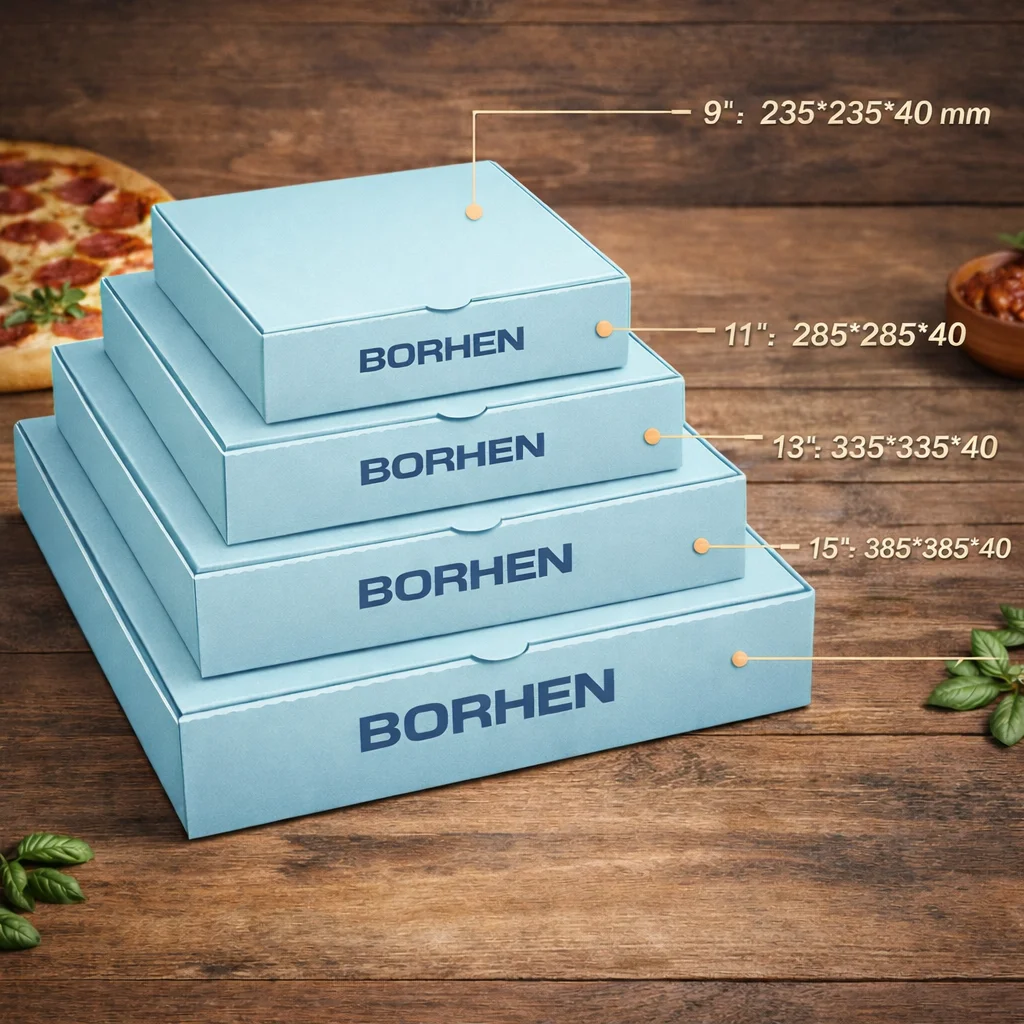
Standard Size Pizza Boxes (12/14/16/18 Inch)

Two-Sided Printed Pizza Boxes (Inside + Outside Printing)

Grease-Resistant Pizza Boxes (Oil Proof / Food-Safe)

Build Custom Pizza Boxes That Support Your Operations — Not Just Your Pizza

At Borhen Pack, we don’t see custom pizza boxes as simple cartons. For pizza chains, distributors, and high-volume delivery programs, packaging is part of execution — it directly affects heat retention, grease control, transport stability, stacking strength, and customer experience. Box stiffness, size accuracy, ventilation design, print consistency, food safety perception, and reorder repeatability all matter when you’re handling volume, multiple pizza sizes, and tight replenishment timelines. That’s why we manufacture custom pizza boxes based on real production, logistics, and distribution logic — not just visual design.
 
We work with wholesale traders, food packaging importers, restaurant chains, franchised brands, and project-based buyers who need packaging that performs consistently across repeat orders. Whether you’re standardizing pizza box SKUs for multiple store locations, preparing bulk supply for peak-season demand, or importing multi-SKU packaging for overseas distribution, we help turn your specifications into pizza boxes that can be produced reliably at scale. Our focus stays on structural stability, stacking performance, grease resistance, and lead-time control — so what’s approved during sampling is exactly what arrives in mass production.
We also make sure your pizza packaging is production-ready and export-friendly. From board selection and compression strength to carton packing, pallet stacking, and container efficiency, we help reduce delivery risks and avoid last-minute adjustments. Whether your pizza boxes are shipped to retail chains, wholesale channels, or large promotional programs, our goal stays simple: pizza packaging that remains stable, repeatable, and easy to reorder as your business grows.
 
💡 Our Most In-Demand Custom Pizza Boxes Types
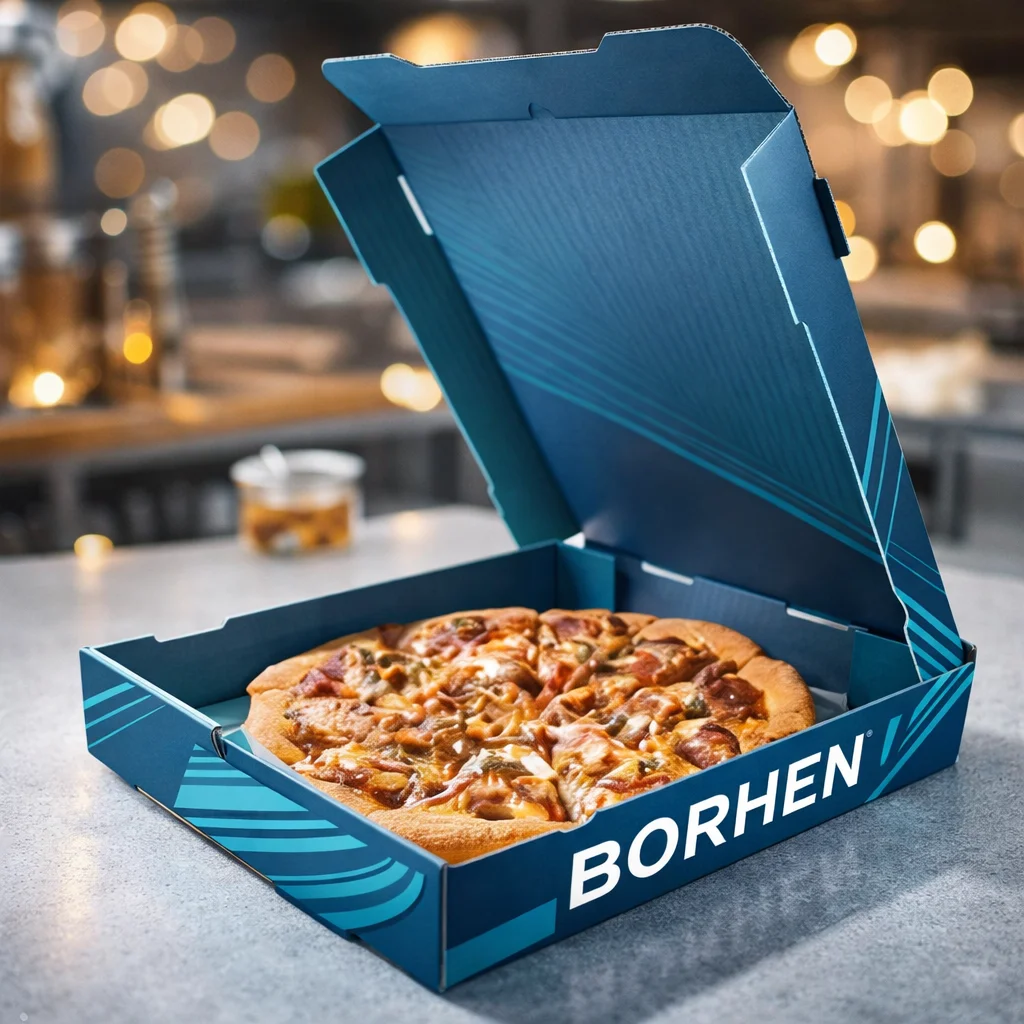
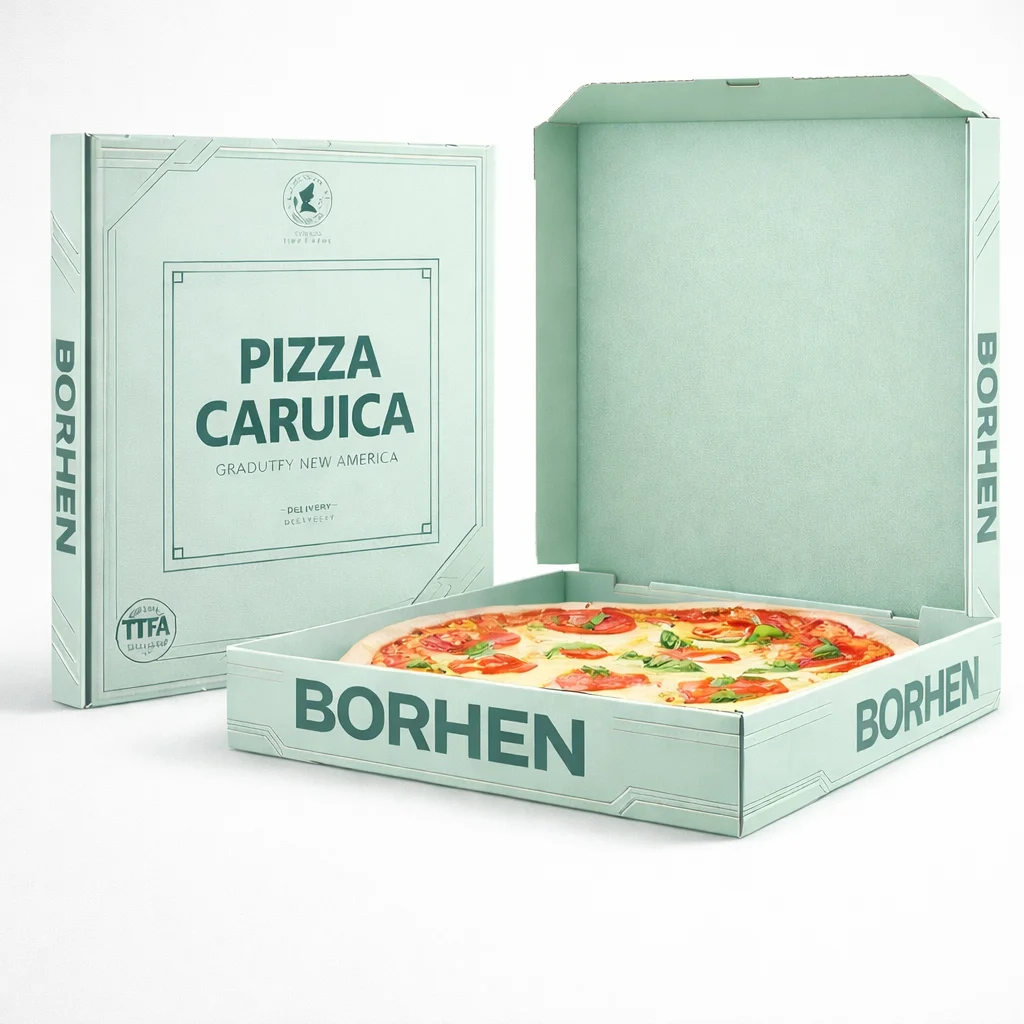
1️⃣ Custom Printed Pizza Boxes (Logo & Full-Color CMYK) Brand-ready pizza boxes with sharp logo placement and full-color CMYK printing — designed to keep your packaging consistent across repeat bulk runs.
2️⃣ Kraft Pizza Boxes (Eco-Friendly / FSC Options) Natural kraft finishes for modern, sustainability-driven markets, with optional FSC-certified paper choices and practical strength for delivery use.
3️⃣ Bulk Pizza Boxes Wholesale (High-Volume Repeat Orders) Built for distributors, importers, and high-demand pizza programs — stable structure, predictable pricing tiers, and reliable reorder production.
4️⃣ Corrugated Pizza Boxes (Extra Strength for Shipping & Stacking) Upgraded corrugated board options for stronger compression resistance — ideal for long-distance transport, heavy stacking, and high-pressure distribution environments.
5️⃣ Custom Size Pizza Boxes (Made-to-Measure Dimensions) Made-to-measure pizza box sizes for non-standard pizzas, signature menu items, and brand-specific packaging programs — reducing empty space and improving packing efficiency.
6️⃣ Standard Size Pizza Boxes (12/14/16/18 Inch) Standardized pizza box SKUs for wholesale and chain use — optimized for predictable inventory management and easy replenishment at scale.
7️⃣ Two-Sided Printed Pizza Boxes (Inside + Outside Printing) Inside + outside printing options that create a premium unboxing moment — perfect for loyalty messaging, QR codes, promos, and stronger brand storytelling.
8️⃣ Grease-Resistant Pizza Boxes (Oil Proof / Food-Safe) Food-safe inner-side grease resistance upgrades that help reduce oil staining, improve hygiene perception, and keep packaging clean through real delivery conditions.
 
🎯 MOQ & Customization Options
(Built for Scalable Pizza Packaging Programs)
At Borhen Pack, we keep pizza packaging projects practical, structured, and scalable.
Production MOQ Most custom pizza box projects start from 500+ pieces per size, depending on structure, board grade, and printing method.
Fully Customized Printing & Materials Branded printing, upgraded board specs, special finishes, or FSC-certified material options typically begin from 500–3,000+ pieces, depending on the program setup.
Customization Options Available
  • Box structures: standard pizza boxes, ventilated designs, reinforced delivery structures, custom depths
  • Printing: outside print, inside print, two-sided printing, multi-version printing
  • Materials: kraft, white board, corrugated upgrades, food-grade and grease-resistant liners, FSC-certified options
  • Performance specs: stacking strength, compression resistance, delivery-focused stability improvements
Included Project Support Every project includes structure recommendations, size fitting guidance, material selection support, sampling coordination, and production consistency checks — so your pizza boxes protect the product, stay consistent across repeat orders, and scale smoothly without disrupting your supply chain.

More Than Just a Custom Pizza Boxes Manufacturer

At Borhen Pack, we don’t just manufacture custom pizza boxes — we help you keep pizza packaging programs running smoothly. For bulk orders and repeat supply cycles, pizza boxes aren’t only about printing. They affect delivery performance, heat retention, grease control, stacking strength, brand consistency, and how confidently you can reorder. Every kraft box, corrugated pizza box, full-color printed box, and grease-resistant upgrade we produce is designed to support stable execution at scale — not just a one-time order.

✅ Packaging Built for How Pizza Programs Actually Run

We design custom pizza boxes based on how pizza is prepared, packed, stacked, delivered, and handled in real markets. By working with distributors, food packaging importers, restaurant chains, franchised brands, and project buyers, we understand the pressure behind bulk pizza packaging — multiple sizes, high daily turnover, fast folding needs, long delivery routes, and tight replenishment schedules. From structures that stack cleanly and hold shape, to ventilation options that help reduce sogginess, to board specs that support transport stability, we focus on packaging that performs consistently in real delivery conditions. The goal is simple: pizza packaging that doesn’t create problems when volume increases.

✅ MOQs That Support Programs, Not Just Trials

We keep pizza box sourcing practical for businesses that need to move forward. Most custom pizza box projects start from 500+ pieces per size, allowing you to standardize packaging without locking in excessive inventory. As volumes grow, scaling into higher bulk runs with upgraded board specs, full CMYK printing, two-sided printing, or FSC kraft material options is straightforward — without changing suppliers or redesigning structures. This makes it easier to support new store openings, peak-season demand, multi-SKU wholesale supply, and long-term inventory planning without disruption.

✅ Consistency You Can Rely on Across Repeat Orders

For bulk pizza packaging, consistency is as important as cost. We manage dielines, size tolerances, board stability, printing alignment, and finishing details so the packaging you approve during sampling is exactly what you receive in production. This reduces common risks like collapsing boxes, print inconsistency, folding issues, and customer complaints. More importantly, it allows you to reorder with confidence as your volumes grow, your SKU program expands, or your market requirements change.

✅ Export-Ready Production for Global Pizza Box Distribution

We manufacture custom pizza boxes with cross-border supply chains in mind. From board strength and compression stability to carton packing methods and container efficiency, we help you avoid common issues that lead to delays, damage, and unexpected landed costs. Whether you’re importing pizza boxes into Europe, the Middle East, Africa, or Latin America, our focus stays the same: packaging that ships efficiently, travels safely, and arrives exactly as planned.

Build Custom Pizza Boxes That Support Scale — Not Just Printing

When you work with Borhen Pack, you’re not just choosing a custom pizza boxes manufacturer — you’re partnering with a team that understands how packaging impacts large pizza programs. For distributors, food packaging importers, restaurant chains, and procurement teams, the pizza box is never an afterthought. It affects delivery performance, heat retention, grease control, stacking strength, shipping efficiency, and how confidently you can reorder. We help turn pizza packaging requirements into boxes that are structurally reliable, visually consistent, and ready for real-world distribution. Our focus is simple: keep operations running smoothly, protect the product, and maintain consistency as volumes grow.
 
Whether you’re standardizing pizza box SKUs across multiple sizes, upgrading from generic stock pizza boxes, or preparing branded packaging for franchise expansion and seasonal campaigns, we design every pizza box with execution in mind. From kraft and white board options to extra-strength corrugated upgrades and full-color branding, our packaging is built to fold smoothly, hold shape under pressure, and maintain a clean, professional presentation — the level wholesale buyers and chain operators expect from established pizza programs.
🧱 Structures Designed for Real Pizza Delivery & Distribution Conditions
We don’t believe in one-size-fits-all pizza packaging.
Every custom pizza box starts with how the pizza is packed, stacked, transported, delivered, and opened by customers. We work from proven pizza box structures and adapt them to your requirements — adjusting dimensions, depth, locking design, venting, and board strength to reduce collapse risk, keep pizzas presentable, and improve packing efficiency.
We guide you through practical upgrades such as higher-strength corrugated specs, grease-resistant liners, reinforced folding areas, and two-sided printing placements that still look clean after folding. If there’s a smarter way to improve stacking strength, reduce deformation during delivery, simplify assembly for store teams, or increase durability without wasting cost, we explain it clearly and help you decide. This practical approach ensures your pizza packaging performs reliably across repeat orders — not just the first run.
 
📦 Packaging That Scales With Your Pizza Programs
We believe pizza packaging should be easy to standardize and simple to scale. Most projects begin from 500 pieces per size, allowing you to consolidate packaging without overcommitting inventory. As volumes increase, scaling to 500–3,000+ pieces with upgraded board specs, full CMYK printing, FSC kraft options, or inside + outside branding becomes straightforward — without changing suppliers or redesigning structures.
Packaging Notes
Standard custom pizza boxes: from 500+ pcs per size
Bulk replenishment programs: designed for high-volume repeat production
Standard sizes: 12 / 14 / 16 / 18 inch SKU planning supported
Printing upgrades: logo printing, full CMYK, two-sided printing options
We coordinate box structures, materials, printing, and export packing so your pizza packaging remains consistent, warehouse-ready, and easy to reorder across different sizes, programs, and timelines.
 
⚙️ A Production Process Built for Reliability
Everything runs through a clear, coordinated workflow — from structure confirmation and dieline setup to sampling, material approval, mass production, and quality checks. We communicate openly, flag potential risks early, and keep timelines realistic. Many clients work with us long-term because we help them avoid common pizza packaging issues that lead to delays, stacking problems, grease complaints, or last-minute adjustments.
Over time, we become less of a vendor and more of a dependable extension of your supply chain — supporting reorders with the consistency and predictability that scalable B2B programs require.
 
🌿 Built for Long-Term Pizza Packaging Programs, Not One-Off Orders
We measure success by how smoothly your pizza packaging performs over time.
That’s why we focus on stable structures, repeatable materials, practical MOQs, and production consistency that supports long-term planning. Whether your pizza boxes are supplied through wholesale channels, restaurant chains, or international import programs, we help you build pizza packaging that stays consistent, scalable, and dependable.
With Borhen Pack, your custom pizza boxes are designed to execute reliably, reorder smoothly, and support growth — not just for one shipment, but for the long run.

Who We Work With (And Why They Choose Us)

We work with scalable buyers who manage multi-SKU programs, multiple markets, or time-sensitive cake launches — and need packaging that stays stable across repeat orders, shipping routes, and changing timelines.

For Regional Distributors & Master Agents

You’re supplying multiple markets and channels — and packaging consistency directly affects your downstream partners.
We help you standardize cake packaging boxes without losing flexibility across SKUs and destinations.

  • Repeatable structures and specs across markets

  • Carton optimization to reduce shipping waste and damage

  • Stable materials and controlled reorders for long-term programs

💡 Why it works: fewer variations, fewer disputes, and smoother multi-country execution.

For Trading Companies & Product Integrators

You coordinate brands, factories, and timelines — often across several SKUs at once.
We make packaging coordination easier by turning requirements into production-ready specs that can scale.

  • Clear dielines, tolerances, and production-friendly artwork checks

  • Insert and structure matching for mixed cake sets and accessories

  • Documentation-ready workflow for export and client approvals

💡 Why it works: less back-and-forth, faster approvals, and fewer “sample vs. mass” surprises.

For Campaign Buyers & License Holders

Your project has a deadline — and packaging delays can kill the whole program.
We focus on proven structures, realistic timelines, and early risk control to protect launch windows.

  • Fast sampling with structured decision checkpoints

  • Controlled materials/finishes to avoid late-stage changes

  • Production planning built for seasonal and promotional timing

💡 Why it works: higher first-time-right execution and fewer last-minute reworks under pressure.

FAQs Custom Pizza Boxes

For your convenience, we’ve gathered the most commonly asked questions about our Custom Pizza Boxes. However, should you have any further queries, please don’t hesitate to reach out to us.
1. What types of custom pizza boxes can you manufacture?
We manufacture a full range of custom pizza boxes for wholesale and repeat supply. That includes standard size pizza boxes (10″/12″/14″/16″/18″), kraft pizza boxes, white paperboard pizza boxes, corrugated pizza boxes for extra strength, and fully custom printed logo pizza boxes. If you’re sourcing multiple sizes or multiple versions, we can run them as one program and keep the quality consistent across every reorder.
Yes — and this is something we do every day.
Most buyers know the sizes they need, but not the board type, GSM, or what “strength” is required for delivery and stacking. We’ll guide you through options like kraft vs white board, single-wall corrugated vs thicker structures, and grease-resistant liners. Our goal is simple: your pizza boxes should hold shape, protect the food, and stack safely at scale.
Most custom pizza box projects start from 500+ pcs per size, depending on printing and board material. If you need multiple sizes, we can structure the MOQ in a practical way so you can launch with a complete lineup. For high-volume wholesale buyers, MOQ is usually not the problem — what matters is stable pricing and consistent supply, and that’s exactly what we build.
Yes — this is one of our strengths.
A lot of our buyers are distributors or importers who need 12/14/16/18 inch pizza boxes together, sometimes with other food packaging SKUs. We support mixed-size production planning, SKU labeling, and consolidated packing, so your warehouse team can receive and distribute without confusion.
Typically, sampling takes around 7–14 days, depending on printing and structure. Mass production usually takes 15–25 days after sample approval. If you have a tight deadline (seasonal promotion, chain launch, or tender timeline), tell us early — we’ll plan production slots and shipping in a realistic way, so you don’t get last-minute surprises.
Yes. We support CMYK printing and Pantone matching when color consistency is critical. If you’re a restaurant chain or a franchised brand, we understand your packaging has to look the same across stores and across batches. We confirm artwork, proofing, and print effect at the sampling stage, so bulk production stays consistent.
Yes. Pizza boxes are not just about printing — performance matters.
We can provide grease-resistant lining options, food-safe paperboard selections, and structure improvements depending on your market requirements. If you’re importing for distribution, we’ll also help you choose practical specs that balance performance and cost, not just “premium upgrades.”
Yes — we manufacture pizza boxes for export and long-distance handling.
We design packaging programs around stacking strength, carton packing, pallet stability, and container loading efficiency. For distributors and importers, damage during transport is expensive — so we optimize the outer carton design and packing method to reduce risk during international shipping.
Yes. We work with both professional packaging designers and buyers who only have a logo file.
If you already have artwork, we’ll review it for print feasibility and dieline fit. If you need help, we can provide dielines, layout guidance, and print setup support to make sure your box looks correct after printing — especially important for multi-size programs.
Yes — we work with buyers worldwide.
We support export packaging, document coordination, and global shipping arrangements. Whether you’re a distributor, a food packaging importer, a chain procurement team, or an e-commerce reseller, we’re familiar with international workflows and we focus on making the supply process stable, repeatable, and easy to reorder.

Borhen Pack in Numbers

Happy Clients
0 +
Million-dollar Buyers
0 +
Formulation
0 +
Professional Staffs
0 +

Your Ultimate Guide to Custom Cake Packaging Boxes

If you’re planning to develop or upgrade pizza packaging for your business—whether it’s for a growing restaurant chain, a wholesale distribution program, or large-scale import supply—you’re not just choosing a box. You’re making decisions that affect delivery performance, product protection, logistics efficiency, brand consistency, and how confidently your operation can scale. Pizza packaging sits right at the intersection of food safety, operational efficiency, and customer perception, and small oversights often become costly once volume increases.
 
We’ve watched pizza packaging evolve far beyond basic takeaway cartons. Over the years, we’ve worked with distributors managing multi-SKU supply, restaurant brands standardizing packaging across locations, importers balancing cost and reliability across borders, and sourcing teams trying to keep consistency while scaling volume. In almost every case, pizza packaging turns out to be more complex than it first appears. What works for small runs doesn’t always perform in high-volume delivery environments, and what looks good in samples may behave very differently under real stacking, heat, grease, and transport conditions.
 
This guide is built from what we’ve learned behind the scenes—how pizza boxes actually perform in daily operations, what problems they need to solve at scale, and why structure, materials, printing control, and production consistency matter more than most buyers initially expect. In the sections ahead, we’ll walk through how different distribution models affect packaging decisions, how to standardize pizza box SKUs across markets, what practical trends are shaping B2B pizza packaging in 2026, and how to evaluate suppliers and specs with long-term supply stability in mind. Whether you’re managing ongoing replenishment or preparing for expansion, this guide is designed to help you choose pizza packaging that performs reliably in real use—not just on paper.

Table of Contents

What Problems a Pizza Box Must Solve (Beyond “Holding Pizza”)

When people talk about pizza boxes, they often describe them like they’re disposable paper products. But in real B2B purchasing, I’ve learned to treat pizza boxes as a supply-chain product. A pizza box touches multiple parts of the business: procurement, warehouse storage, kitchen operations, delivery performance, brand consistency, and even customer retention. That means a “good pizza box” isn’t just about looking nice in a photo. It’s about whether the packaging can perform every day, at scale, without creating new problems.
I always remind buyers that the pizza box is often the only physical brand asset a customer touches. For delivery orders, the box is the storefront. It’s what the customer sees before they smell the pizza, before they take the first bite, and before they decide whether to reorder. So when the box fails—whether it collapses, leaks oil, traps moisture, or arrives cold—the pizza brand pays the price, even if the problem started with packaging.
 
Heat Retention Is Not About “Keeping It Hot” — It’s About Managing Heat Correctly
Heat retention sounds simple until you see what happens in real delivery. I’ve watched brands invest in better pizza recipes and better toppings, only to receive complaints that the pizza arrives “not hot enough.” In many cases, the real issue isn’t the food. It’s the packaging system. A pizza box needs to reduce heat loss during transport, but it also needs to avoid turning the inside of the box into a steam chamber.
That’s where many buyers underestimate the complexity. A pizza box that seals too tightly can trap steam and create condensation. When the steam becomes water droplets, it falls back onto the pizza surface and the crust becomes soft. But if the box is too loose or weak at the closing points, heat escapes too quickly, especially in colder climates or motorbike delivery scenarios. In my experience, the best pizza box spec isn’t the one that holds the most heat—it’s the one that maintains the right balance so the pizza stays warm while the texture stays appetizing.
 
Moisture Control: The One Problem That Ruins Even Great Pizza
If I had to pick the most underestimated packaging problem, it’s moisture. Pizza is hot, and hot food releases steam constantly. Inside a closed box, steam will always find the coldest surface and condense. This is exactly why customers sometimes say “the pizza was soggy,” even when the kitchen did everything right. The packaging allowed moisture to pool where it shouldn’t.
Moisture control is not only about holes or ventilation. It’s also about how the box holds its shape. When the lid sags because the board is too soft, it touches the pizza surface and transfers moisture. When the box is slightly warped, it changes airflow inside the box. I’ve seen this happen more often with inconsistent board supply, which is why scalable buyers should never treat board consistency as “minor.” Moisture management, especially for delivery-heavy markets, is one of the biggest reasons why premium pizza brands pay attention to packaging structure.
 
Grease Resistance Is Really a Customer Trust Issue
A lot of buyers describe grease resistance as if it were only about cleanliness. From my perspective, it’s actually about trust. The moment oil stains appear on the bottom of the box, customers subconsciously think the packaging is cheap. If the oil leaks into a delivery bag, it creates frustration. If it stains clothing or furniture, it becomes a memorable negative experience.
There’s also an operational cost hidden behind grease issues. Once oil penetrates paper fibers, the box loses strength. The corners soften. The folding lines weaken. The base can bend. That means grease resistance is connected directly to structural stability. In distribution scenarios, when boxes are stacked for warehousing or transport, grease leakage can also cause boxes to stick together or deform under weight. If you’re a distributor selling to restaurants, this becomes a relationship issue because restaurants blame the distributor for supplying “bad packaging,” even if the distributor had no control over manufacturing quality.
 
Structural Strength: Your Pizza Box Must Survive Pressure, Not Just Carry Weight
When buyers evaluate samples, they usually hold a box in their hands, open it, close it, and check printing. But the real test is stacking. I always encourage buyers to imagine the most stressful situation: peak hour, fast assembly, hot pizza inside, delivery bag packed tight, and three or four orders stacked on top of each other in a moving vehicle.
A pizza box must resist compression. It must keep the lid from collapsing downward and ruining the toppings. It must keep the base from bending and splitting. Strength is not only about board thickness, but also about the design of the folding structure and the precision of the cut lines. When the die-cut is inaccurate or the fold lines are inconsistent, the box loses its “engineering.” It becomes weak where it needs to be strong. This is why scalable buyers pay attention to repeat production stability. Strength must be consistent across batches, or the entire supply program becomes unpredictable.
 
Assembly Speed: The Packaging Should Never Slow Down the Kitchen
One thing I love about working with restaurant chains and franchise programs is that they’re brutally honest about what works. If a pizza box structure is annoying, they’ll reject it immediately. In real kitchens, time is everything. If staff can’t fold the box quickly, or if the locking structure feels stiff, it creates friction during peak hours. That friction shows up in slower service time, higher labor cost, and more mistakes.
I’ve seen how a simple structure improvement can change the workflow. When the box is designed for fast locking and smooth closure, staff move faster and the packaging feels professional. When the structure is unstable or requires too many folding actions, the box becomes a “daily pain point.” That matters. Scalable B2B buyers are not buying packaging only for the customer’s experience. They are buying packaging to improve operational efficiency.
 
Delivery Conditions: Pizza Boxes Must Handle “Real Abuse”
If I could show buyers one thing, it would be how pizza boxes behave during delivery. Packaging doesn’t travel on a flat table. It travels in bags, in cars, on motorbikes, in crowded elevators, and through temperature changes from kitchen heat to outdoor wind. Even the way a delivery driver holds the bag impacts box shape.
That’s why I always think about pizza boxes in terms of “movement.” Boxes slide. They tilt. They bump. They carry weight from other orders. A weak box can twist, causing the pizza to shift. When the pizza shifts, toppings slide. When toppings slide, customer satisfaction drops. Packaging failures almost always show up at the worst moment—when the business is busiest and least able to handle complaints. So delivery durability isn’t only a quality issue, it’s a business continuity issue.
 
Branding and Print Quality: Your Pizza Box Is Your Storefront
Even for bulk wholesale buyers, print matters more than they think. Today’s customers take photos. They share delivery content. They notice whether packaging looks premium or generic. And in a competitive market, the pizza box is one of the easiest ways to create brand recognition without changing the product itself.
I’ve seen brands increase repeat orders simply because their box design became cleaner and more recognizable. On the other hand, I’ve also seen brands lose credibility when printing looks blurry, colors change between batches, or the logo appears misaligned. That is why print consistency is part of “box performance.” For franchise systems, packaging consistency is especially critical. If one store has darker printing and another store has lighter printing, customers perceive it as sloppy operations.
 
The Unboxing Moment: The Box Shapes the Customer’s First Impression
People usually talk about “unboxing” for luxury goods, but I believe it applies to food packaging too. When the customer opens the pizza box, that moment sets the tone. If the lid lifts smoothly, the pizza looks intact, and the box feels clean and strong, the customer thinks, “This brand is professional.”
But if the lid is warped, the box smells like low-quality board, oil stains appear, or the pizza has shifted due to poor stability, the customer feels disappointed before eating. That disappointment is hard to reverse, even if the pizza tastes fine. Packaging can’t make bad pizza good, but bad packaging can definitely make good pizza feel worse.
 
Scalability: Repeat-Order Consistency Is the Real Meaning of Quality
Many suppliers can produce a good first batch. What separates a scalable supplier from an unstable one is repeatability. In my experience, the real definition of packaging quality is not whether the sample looks nice. It’s whether the fifteenth reorder matches the first one.
This matters most for distributors, importers, and chains. They don’t want to re-test packaging every quarter. They don’t want to re-measure box size, adjust storage plans, or handle customer complaints because the board changed. When a pizza box program is stable, the buyer can focus on growing sales instead of solving packaging problems. That’s why scalable pizza brands treat packaging like a controlled system, not a casual purchase.
 
The Business Impact: Pizza Boxes Protect Margins, Not Just Pizzas
At the end of the day, pizza boxes solve business problems. They reduce complaints. They reduce refunds. They reduce remakes. They protect the pizza in transit, support faster kitchen flow, and strengthen brand identity. And for distributors or resellers, the right box program reduces damage rate and makes warehousing easier.
When I write about pizza boxes, I’m never thinking only about paper and printing. I’m thinking about predictable operations. I’m thinking about how packaging supports repeat purchases, stable supply, and margin protection. A pizza box that performs well doesn’t just “hold pizza.” It holds together the full customer experience and the scale of the business behind it.

How to Choose the Right Pizza Box Material (Kraft vs White Board vs Corrugated)

When I help B2B buyers choose pizza box material, I always start by resetting the mindset. Many people treat kraft, white board, and corrugated like they are simply “different looks.” But in reality, the material you choose decides how your pizza arrives, how your warehouse handles stock, how often boxes get damaged, how stable your printing looks across reorders, and how predictable your overall packaging cost becomes.
I’ve seen buyers lose money because they chose a material that looked good in a sample but failed under delivery stress. I’ve also seen buyers overpay for high-end materials when their market only needed solid strength and basic printing. That’s why I don’t recommend materials based on trends first. I recommend them based on the job the pizza box needs to do in your business model. The right material for a restaurant chain is not always the right material for a distributor, and the right material for an importer shipping long distances is not always the right material for a local pickup business.
 
Start With the Real Question: What Environment Will the Box Live In?
Before I compare kraft vs white board vs corrugated, I ask buyers to picture where the box will “live” for the next 30 minutes after it leaves the oven. That’s where the truth is.
If your box mainly goes from kitchen to counter to customer within 5 minutes, the stress on packaging is relatively low. But if your box goes into a delivery bag, gets stacked with other orders, rides in a hot car or on a motorbike, and sits in a lobby while the customer comes downstairs, packaging stress becomes a real operational risk. In those cases, material strength and moisture behavior matter as much as design.
I also think about warehouses because most B2B buyers don’t purchase pizza boxes for immediate use. They purchase cartons, pallets, and container loads. That means the box must survive storage pressure and long stacking periods before it ever touches food. If a material warps in humidity, if cartons collapse under stacking, or if board quality varies between lots, it doesn’t just affect pizza. It affects inventory accuracy, rework cost, and customer complaints.
So for me, choosing the right material always begins with a simple goal: match the material to the full journey of the box, not just the moment it is printed.
 
Kraft Pizza Boxes: The “Eco Signal” Material That Can Be Surprisingly Strong
Kraft pizza boxes are one of the most misunderstood categories in packaging. Many buyers choose kraft because it looks sustainable and modern. They love the earthy tone and the minimal design style it supports. That’s a valid reason, especially in Europe and the UK, where kraft packaging often feels more premium than glossy white because it matches consumer expectations for natural materials.
But what I want buyers to understand is that kraft is more than aesthetics. Kraft fibers can be strong. In many programs, kraft boxes perform very well for stacking and basic delivery, especially when board thickness and structure are well controlled. Kraft also tends to hide minor scuffs and handling marks better than white, which can be useful for distribution environments.
Where kraft requires careful decision-making is printing and surface behavior. Kraft absorbs ink differently than white surfaces. If you print the same design on kraft and on white board, the colors will not look identical. Dark inks like black work beautifully on kraft, but bright colors lose vibrancy. In practical terms, kraft is ideal for branding that uses bold typography, icons, stamps, or minimal art style. But if your brand relies heavily on bright reds, gradients, photo-like printing, or sharp color contrast, kraft may make your design feel dull or inconsistent.
The other key issue is grease and food contact performance. A lot of buyers assume kraft automatically equals eco-friendly and safe, but the truth is that grease resistance depends on the inner surface treatment, not just the outer color. If you sell greasy pizzas or run long delivery routes, kraft may need upgraded inner liners. If the material is not specified correctly, oil can soak through, which weakens the board and makes the box look dirty. That’s why I treat kraft as a strong, smart material option, but only when it is engineered for real delivery conditions, not just chosen for appearance.
 
White Board Pizza Boxes: The Best Choice When Your Brand Needs Print Perfection
White board pizza boxes are the standard for brand-driven packaging programs, and the reason is straightforward. White is the best base for printing. It gives you clean color contrast, sharp logo edges, and more predictable results between batches. If you’re sourcing for restaurant chains, franchised brands, or any business where packaging must look identical across multiple stores, white board gives you the most control.
I often describe white board as the “branding platform.” When you print on white board, you can use full CMYK designs with more confidence. Your color palette remains stable. Your logo stays recognizable. Your packaging looks professional even under harsh lighting and busy restaurant environments. White also supports a wider variety of design directions, from minimal premium style to bold, colorful marketing-driven boxes.
However, white board is not always the most forgiving material in distribution. It shows dirt. It shows scratches. If cartons are handled roughly, white boxes can look older faster than kraft. For high-volume distributors, that can create friction because customers sometimes judge box quality based on how it looks on delivery, even before the pizza is opened. This is why some wholesalers prefer kraft for mass distribution markets, while chains prefer white board for strong branding.
I also pay attention to board stiffness. A white board pizza box can look premium but still be weak if the board spec is too thin or inconsistent. That’s why I always tell buyers: white board gives you beauty, but you still must design for strength. If you don’t, the box becomes a marketing asset that fails operationally—and that’s the worst type of packaging failure because it damages both logistics and brand image.
 
Corrugated Pizza Boxes: The Material That Saves Money by Reducing Damage
Corrugated pizza boxes are often chosen for one reason: strength. But I think the better way to describe corrugated is “risk reduction.” Corrugated structure provides higher compression resistance, stronger stacking, and better transport durability. For importers, distributors, and markets where shipping conditions are unpredictable, corrugated reduces the chance of product loss and packaging disputes.
In real supply chains, damage is expensive. It’s not just about replacing boxes. It’s about delays, complaints, messy warehouse workflows, and strained business relationships. When distributors deliver cartons and the restaurant finds crushed corners or warped lids, they blame the supplier. When resellers receive stock that is deformed, they face returns. Corrugated helps prevent these problems.
Corrugated also behaves differently with heat and moisture. It has internal flutes that can provide insulation benefits, helping to maintain temperature. But it can also trap heat and steam more easily depending on closure design. This means ventilation and structure must be considered carefully. Corrugated boxes can keep pizza hot, but if moisture is not managed, the pizza may arrive soggy. That’s why corrugated performs best when the packaging program considers both strength and airflow.
Another reality is that corrugated can feel more “industrial” compared to smooth white board. But in 2026, I see more brands embracing that look intentionally, using strong typography and simple printing to create a modern, functional image. Corrugated doesn’t need to look cheap. It can look premium if the design direction fits the material.
 
What Most Buyers Miss: Material Choice Changes Container Loading and Landed Cost
In B2B purchasing, the material selection affects more than unit price. It affects shipping efficiency, which affects landed cost. This is one of the most important reasons importers and distributors should think beyond “board type.”
If a box material is thicker or bulkier, you may fit fewer units per carton, fewer cartons per pallet, and fewer pallets per container. That means your freight cost per unit goes up. Even if your unit price is slightly lower, your total landed cost may be higher because you are shipping air instead of packaging.
When buyers tell me they want the cheapest pizza box, I often ask a different question: what is the most cost-efficient pizza box after shipping? In many cases, a slightly stronger, slightly better-specified box reduces damage, improves stacking, and allows better packing efficiency—leading to lower total cost. Material choice is a cost-control tool when you understand the full logistics impact.
 
How I Recommend Materials Based on Buyer Type
When I evaluate buyer needs, I don’t recommend materials based on preferences. I recommend them based on the buyer’s business structure.
If the buyer is a distributor or wholesale trader, their priority is repeat supply, predictable cost, and stable strength. In these programs, kraft is often a strong choice because it supports cost control and simple branding, while corrugated becomes important for export-heavy or damage-sensitive routes.
If the buyer is a food packaging importer with multi-SKU purchasing, corrugated often becomes a safer default because it performs well under warehouse stacking and long-distance shipping. They also care about carton labeling and packing stability, so material must support efficient handling.
If the buyer is a restaurant chain or franchised brand, white board usually offers the best brand consistency. They need printing to look the same across stores and across reorder cycles, and white board helps control that. Kraft can still work for eco positioning, but only when the brand design matches kraft’s printing characteristics.
If the buyer is project-based, such as seasonal promotions or event programs, material choice is often a balance between lead time, printing requirements, and budget. White board tends to be chosen for high-impact visuals, while kraft is chosen for quick, clean, cost-effective promo boxes.
If the buyer is an e-commerce reseller, they often need both: a clean appearance for listing photos and enough strength to avoid complaints. This is where white board or kraft can work, but specs must be strong enough to prevent collapsing in delivery. Corrugated may be used for higher-end “delivery performance” programs or bulk shipping to other resellers.
 
The Sample Test I Trust: Heat, Steam, Oil, and Stacking in One Day
When buyers ask me how to confirm the right material, I don’t start with lab tests. I start with reality.
I always recommend a sample test that simulates real use. You put a hot pizza inside. You close the box. You wait. You stack it with other boxes. You check the bottom for oil. You check the lid for condensation. You check whether the box keeps its shape. Then you repeat the test under a longer time window, because what looks fine at 5 minutes may fail at 25 minutes. This is the exact time range that matters for delivery-heavy operations.
This type of testing reveals material behavior quickly. Kraft might absorb moisture differently. White board might show oil stains more visibly. Corrugated might stay stronger but require better airflow. When buyers test packaging under realistic conditions, the material decision becomes obvious.
 
2026 Trends: Buyers Want Materials That Signal Sustainability Without Losing Performance
In 2026, material preference is shifting. Buyers want packaging that looks sustainable and feels modern, but they also want it to be stronger and more predictable. Kraft continues to grow because it visually communicates eco awareness, but buyers now demand performance upgrades like better grease resistance and stronger board.
White board is evolving toward cleaner, more premium visual design rather than loud marketing. It’s being used more intentionally, especially by chains that want brand consistency and a high-quality customer impression.
Corrugated is becoming more common not because buyers want heavier packaging, but because supply chains have become less stable. Importers and wholesalers want packaging that reduces damage risk and supports warehouse stacking. Corrugated is a defensive choice in uncertain logistics conditions, and that makes it valuable for scalable programs.
 
Final Thought: Pick the Material You Can Reorder Confidently for the Next 12 Months
The last thing I tell buyers is that the best material choice isn’t the one that looks perfect today. It’s the one you can reorder confidently for the next year.
If you’re building a scalable pizza packaging program, you need repeatability: stable board supply, stable printing performance, stable stacking strength, and stable logistics outcomes. That’s what protects your margins and your reputation. Material selection is the foundation of that stability.
When buyers treat packaging as a long-term program instead of a one-time purchase, the material decision becomes much easier. And that’s when pizza boxes stop being a problem—and start becoming an operational advantage.

Pizza Box Strength Explained: GSM, ECT, Compression & Why Boxes Collapse

When I look at pizza box programs that scale successfully, I see one pattern almost every time: they treat strength as a core spec, not as an afterthought. Many buyers start by focusing on pricing and printing, which makes sense because those are visible. But as soon as the first bulk shipment is in the warehouse and restaurants start using the boxes in real delivery, strength becomes the deciding factor.
Strength is not simply about avoiding a crushed box. It’s about preventing business problems. When pizza boxes collapse, operations slow down. Staff lose confidence in the packaging. Distributors receive angry calls. Importers face disputes about quality. E-commerce resellers deal with complaints that have nothing to do with their listing or service. And the most frustrating part is that these failures often show up in large volume, not one or two units. That means the financial impact grows fast.
This is why I think of pizza box strength as a “margin protection system.” It reduces damage, reduces returns, reduces replacement orders, and protects customer trust. If you get strength right, everything else becomes easier. If you get it wrong, even great printing and good pricing will not save your program.
 
What Buyers Actually Mean by “Strong”: It’s Not Weight Capacity, It’s Structural Stability
One of the first misunderstandings I correct is how people define strength. Buyers sometimes tell me, “The pizza isn’t heavy, so why do we need strong boxes?” But pizza boxes don’t collapse because of the pizza itself. They collapse because of compression, stacking, moisture, grease, and movement.
I like to frame strength as structural stability under stress. The box must remain flat, level, and supportive even when it’s stacked under other boxes, even when the board warms up and softens, even when steam and grease interact with fibers, and even when it gets squeezed in a delivery bag. In other words, the box needs to keep its geometry.
When the geometry changes, everything looks worse. The lid bends and touches the toppings. The base curves and causes the pizza to shift. The corners deform and create gaps that release heat and trap steam incorrectly. These are not small issues. These are the kinds of packaging failures that turn into customer complaints like “arrived smashed” or “cold and soggy.” That’s why I say strength is not a technical metric. It’s a customer experience factor.
 
GSM: Why Paper Weight Matters, and Why It’s Often Misused in Sourcing Decisions
GSM is one of the most common specs buyers see in pizza packaging. It stands for grams per square meter, and it describes the weight of paper or board. Higher GSM usually means thicker or denser paper, and buyers naturally assume that higher GSM equals stronger boxes.
But in real manufacturing, GSM is only one part of the equation, and it can be misleading if you rely on it alone. I’ve seen high GSM board that still collapses because the paper fibers weren’t stiff enough or because moisture content softened the board quickly. I’ve also seen lower GSM board that performs surprisingly well because the fiber structure and lamination were stronger.
For pizza boxes, GSM matters most for stiffness and shape retention, especially for paperboard styles. Stiffness is what keeps the lid flat and the corners stable. But stiffness isn’t just weight. It’s also how the fibers are oriented and how the board is produced. If you want your pizza boxes to remain stable in warm, humid, and greasy conditions, GSM must be matched with proper board grade.
In my experience, the biggest mistake buyers make is negotiating GSM down to reduce cost without understanding how quickly performance drops. A small reduction in board weight might look like savings on paper, but it can create huge hidden costs in complaints and replacements.
 
ECT: The Most Important Metric for Corrugated Pizza Boxes and Bulk Logistics
When we shift from paperboard to corrugated, the conversation changes. Corrugated strength is less about surface stiffness and more about load-bearing power. That’s where ECT matters.
ECT stands for Edge Crush Test. It measures how much force the corrugated board can withstand along the edge. This matters because corrugated boxes survive stacking by transferring load through their edges. If the edge strength is low, the internal flutes crush. Once the flutes crush, the board loses its structure and becomes weak. And once the board becomes weak, collapse becomes inevitable.
I’ve seen buyers who were happy with samples but later received bulk shipments where the boxes warped after warehouse storage. That can happen when ECT is too low for real stacking conditions, especially when cartons are stored in humid warehouses or stacked too high.
This is why ECT matters most for distributors, importers, and any buyer shipping by pallet or container. Corrugated boxes might look strong at the moment of production, but if the board grade is not stable, performance changes over time. If your market relies on long inventory cycles and large stockholding, ECT is a non-negotiable metric.
 
Compression Strength: The Real Test Your Pizza Boxes Face Every Day
Compression strength is where theory becomes reality. You can think of compression as the force that pushes downward on the box during stacking.
In kitchens, boxes are stacked while waiting for pickup. In delivery, boxes are stacked in insulated bags. In warehouses, cartons are stacked for days or weeks. In containers, pallets shift slightly during transport. Compression is constant. And when compression exceeds what the box can tolerate, collapse happens.
What makes compression tricky is that it’s not a single moment. It’s time-based. A box might survive five minutes of stacking but fail after twenty minutes because heat and steam soften the board. A carton might survive initial stacking but deform after two weeks because humidity slowly crushes corrugated flutes.
This is why I tell buyers that compression is not just a number. It’s a performance timeline. Your boxes need to remain stable not just immediately, but throughout the actual delivery and storage cycle.
 
Why Pizza Boxes Collapse: The Real Root Causes I See in Bulk Programs
When buyers experience collapse issues, they often think something is wrong with “the pizza box.” But most failures come from system-level problems that buyers don’t see at first.
One common cause is board moisture variation. Paper and corrugated board absorb moisture from the environment. If the board arrives slightly damp or is stored in a humid warehouse, stiffness decreases. That means the box becomes weaker before it even touches food. This is why storage conditions matter. I’ve seen warehouses where pizza boxes were stored near open doors or near humid zones, and the boxes softened noticeably even without use.
Another cause is die-cut and fold-line accuracy. Pizza boxes depend on precise geometry. If fold lines are too deep, the board becomes weak along those lines. If fold lines are too shallow, the box doesn’t close properly and becomes unstable. If cutting is inconsistent, corners don’t align and the load transfer becomes uneven. That leads to localized collapse points.
Grease and steam also accelerate failure. Grease penetrates fibers and reduces tensile strength. Steam increases moisture content and reduces stiffness. Combined, they create a perfect collapse environment. This is why some boxes fail only after the pizza has been inside for a while. The box doesn’t fail immediately—it fails when the board is softened at its weakest points.
Finally, outer carton packing is a hidden factor. If cartons are packed too tightly, boxes inside get compressed. If cartons are packed too loosely, boxes shift and corners deform. If cartons are stacked improperly during shipping, the whole system weakens.
 
Structure Design Can Make the Same Board Feel Completely Different
One thing I’ve learned through manufacturing is that structure design often matters more than buyers expect. A pizza box is not just flat board. It’s a folded structure that becomes rigid through geometry.
When the lid is designed with correct locking, it supports stacking. When the corners lock properly, they carry the load. When the dust flaps and front tuck are engineered correctly, the box becomes more like a reinforced frame.
If the structure is weak, even thick board can fail. And if the structure is strong, moderate board can perform surprisingly well. This is why I always advise buyers to evaluate structure and board together. A box program that scales well uses both: correct board grade and correct structural engineering.
 
The “Worst-Day Test”: Why Kitchen and Delivery Stress Must Be Simulated
If I could change one habit in B2B packaging buying, it would be how buyers test samples. Many buyers test pizza boxes in clean rooms, with cool boxes, and without stacking pressure. That doesn’t represent real life.
What matters is the worst day. The busiest hour, when staff are rushing. The hottest pizza, with maximum steam. The delivery route that takes 30 minutes. The bag stacked with multiple orders. The carton stored in a humid warehouse.
When buyers test under worst-day conditions, strength issues become obvious. You see whether the lid holds. You see whether corners soften. You see whether grease weakens the base. You see whether stacking causes sagging. That’s why I trust realistic testing much more than spec sheets.
 
Strength Consistency Matters More Than Maximum Strength
A surprisingly important point for scalable buyers is that consistency matters more than peak strength. If your first batch is strong but your second batch collapses, your program becomes unstable. Restaurants lose trust. Distributors face disputes. Importers get blamed. And procurement teams have to spend time investigating packaging instead of growing business.
That’s why I focus on repeatability. In long-term supply programs, I prefer a stable strength profile across reorders rather than an extreme spec that cannot be maintained consistently. Predictability is what allows distributors, chains, and resellers to scale operations without constant quality checking.
 
How Buyers Should Think About Strength When Comparing Suppliers
When I evaluate suppliers for pizza box programs, I don’t just ask “Can you make strong boxes?” Most suppliers will say yes. I ask whether strength is controlled systematically.
I look at whether the supplier can maintain board sourcing consistency. I look at whether they understand the connection between moisture, grease, and strength. I look at whether their cutting and folding accuracy is stable at scale. I look at whether they optimize outer cartons and pallet packing. Because these details are what decide whether the boxes arrive stable in bulk, not just in samples.
For scalable buyers, supplier selection should be based on strength management capability, not just board spec promises.
 
Final Thought: Strength Is What Protects Pizza Quality, Brand Reputation, and Profit
In the end, pizza box strength is not only about packaging. It protects the pizza itself. It protects the customer experience. It protects brand reputation. And it protects profit margins.
When a box stays flat, strong, and stable, the pizza arrives intact. The toppings look right. The crust texture stays better. Customers feel satisfied. Complaints drop. Reorders increase. That’s why I believe strength is the foundation of a successful pizza packaging program.
The most scalable packaging buyers don’t treat strength as a technical topic. They treat it as a business advantage. And once you start viewing it that way, you make better sourcing decisions that hold up over time.

Standard Pizza Box Sizes & How B2B Buyers Should Build a SKU Strategy

When I speak with distributors, importers, and restaurant chain buyers, I often notice the same pattern: people treat pizza box sizing like a simple packaging decision, but they rarely treat it like a business system. In reality, pizza box sizes determine how you stock inventory, how you forecast demand, how you plan reorders, how you pack containers, and how stable your supply program becomes. A pizza box size program is not just a list of dimensions. It’s a commercial structure that affects cash flow, warehouse efficiency, and customer satisfaction.
If your SKU strategy is weak, you may experience constant stockouts on your fastest-moving sizes while slow-moving inventory eats warehouse space. If your SKU strategy is strong, your operation feels smooth: warehouses stay organized, reorders happen automatically, and your customers trust you because you never run out of essential sizes. This is why I believe that a well-built size strategy is one of the clearest signs of a scalable B2B buyer.
 
What “Standard Sizes” Mean in the Real Market (And Why They Still Need Definitions)
The pizza packaging market talks a lot about “standard sizes,” but I’ve learned that standard is not always as standard as buyers expect. Yes, sizes like 12, 14, 16, and 18 inch are globally common, and they cover most menu requirements. But what changes from supplier to supplier is how those sizes are measured and how the box behaves after production.
Some suppliers measure internal dimensions. Some list external dimensions. Some include depth variations that buyers don’t notice until they start stacking boxes. Even the closure structure can affect usable internal space. This is why I always recommend buyers define standard sizes using a full specification mindset. Standard sizes should not only be “12 inch.” They should be “12 x 12 x depth with defined structure and tolerance.”
If you run a distribution business, you know what happens when sizes shift slightly. Boxes don’t stack cleanly. Carton packing becomes inconsistent. Restaurants complain that the pizza doesn’t fit well, or the lid touches toppings. These issues are rarely dramatic but they create constant friction—and friction is expensive at scale.
 
The Core Standard Pizza Box Sizes and How I See Them Used Commercially
When I build a scalable pizza box program, I divide sizes into two categories: operational core sizes and strategic support sizes. The operational core sizes are the ones most markets reorder frequently and consistently. The support sizes add flexibility but should not dominate inventory.
Across global B2B markets, 12 inch is the most consistent high-volume SKU. It is used widely because it fits common menu items, delivers good portion value, and is flexible for restaurants to use across different products. Fourteen inch is a high-demand size because it balances value and portion size, especially for family orders. Sixteen inch becomes critical in delivery-heavy markets and in higher-ticket menu programs. Eighteen inch is less universal but essential in catering, party pizza categories, and certain regional menu preferences. Ten inch is often treated as niche, but in many markets it becomes a fast-moving SKU when personal pizzas, kids’ menus, or lunch programs are popular.
The key is that these sizes don’t behave equally as inventory. Their reorder cycle, carton volume, and storage impact differ significantly. That’s why SKU strategy is not simply “offer every size.” It is “offer the right mix, with the right stock logic.”
 
10 Inch Pizza Boxes: Small Size, High Variety, and Hidden Volume Potential
The 10 inch pizza box often surprises buyers. Many wholesalers ignore it at first because they assume demand is low. But I’ve seen 10 inch become a high-velocity SKU in markets where quick-service menus, personal pizzas, and smaller households dominate. It’s also a common size for small takeout concepts and cafés that sell flatbreads or snack-style pizzas.
From an inventory perspective, 10 inch is powerful because it’s a differentiation SKU. Many competitors only stock 12 and above. When you stock 10 inch reliably, you attract buyers who need smaller sizes and are tired of switching suppliers. In distribution programs, that kind of reliability creates customer retention.
But 10 inch can also create complexity because different buyers want slightly different depths. Some want slim boxes for thin crust. Others need deeper boxes for loaded toppings. This is why I recommend resellers and distributors standardize one or two depth options for 10 inch, rather than treating it as unlimited variation.
 
12 Inch Pizza Boxes: The Global Anchor SKU That Drives Repeat Reorders
If I had to pick one SKU that defines the success of a pizza box program, it would be the 12 inch. This size is the anchor because it is the most repeatable. Many restaurants order it continuously. Many distributors sell it weekly. Many e-commerce resellers use it as a top listing product because demand is stable.
The business value of 12 inch isn’t only its popularity. It’s also how it supports forecasting. When you have accurate reorder data for 12 inch, you can predict workload and container planning more easily. It becomes the SKU that stabilizes your purchasing rhythm. It also becomes the SKU where unit price negotiation matters most, because even small cost improvements affect total profit across large volume.
This is why I recommend buyers design their inventory model around 12 inch first. If you can keep 12 inch stable—stable spec, stable printing, stable strength—you can scale your entire program with less risk.
 
14 Inch Pizza Boxes: The Middle SKU That Balances Menu Value and Inventory Efficiency
Fourteen inch is the “middle strength” size, and it’s often underestimated. In many restaurant menus, 14 inch is positioned as the best value option for families or sharing. That means it sells consistently, often more consistently than 16 inch in some markets.
From an inventory perspective, 14 inch is useful because it balances storage volume and demand. It doesn’t take as much space as 16 and 18, but it can still carry premium menu positioning. For distributors, 14 inch helps smooth demand fluctuations. If customers switch between smaller and larger pizzas depending on season or price promotions, 14 inch absorbs that shift.
In a SKU strategy, 14 inch is often the stabilizer between two extremes. And that makes it a core size that should rarely be out of stock.
 
16 Inch Pizza Boxes: The High-Stress SKU Where Strength and Structure Must Be Controlled
Sixteen inch is where packaging performance becomes critical. Larger footprint means higher risk of base bending. The lid covers more area, so sagging becomes more noticeable. If the box structure is slightly weak, stacking becomes unreliable.
In delivery-heavy markets, 16 inch is often the size that produces the most complaints if quality is unstable. That’s because restaurants use it for larger orders, where customers have higher expectations and deliveries take longer. If the box collapses slightly and toppings shift, the customer remembers it. For chains, this is even more serious, because franchise consistency is part of the brand promise.
That’s why I see 16 inch as a “quality reputation SKU.” If your 16 inch program is strong, buyers trust your supply. If your 16 inch program fails, buyers question everything else. This is also why I recommend buyers control die-cut accuracy and board stiffness carefully for 16 inch, rather than purchasing solely based on unit cost.
 
18 Inch Pizza Boxes: The High-Volume, High-Space SKU That Impacts Logistics
Eighteen inch is not for every market, but for the markets that need it, it is essential. It is commonly used for large pizzas, catering orders, party-size menus, and special promotions. This size often moves in bursts rather than stable daily consumption, which makes it more sensitive to forecasting mistakes.
From a logistics perspective, 18 inch is the most expensive SKU to store and ship because it occupies more volume. It requires bigger cartons. It reduces units per pallet. It reduces container fill efficiency. That means landed cost becomes a bigger factor, and buyers should not overstock it.
When I build SKU strategy for 18 inch, I treat it differently from 12 inch. I plan it around customer order cycles and seasonal peaks. This prevents cash from being trapped in oversized inventory that sells slowly during off-season.
 
Depth Is a Size Decision, and It’s Often More Important Than Buyers Think
Many buyers discuss pizza box sizes only in terms of length and width. But in real operations, depth can be just as important. Depth affects the customer experience. If depth is too shallow, toppings touch the lid. That can smear cheese and ruin presentation. If depth is too deep, it can trap more steam and create moisture problems. It also increases shipping volume, which raises landed cost.
Depth also affects stacking. A slightly deeper box can sometimes improve structural stability because it creates a more rigid frame, but it can also reduce carton efficiency if not optimized. This is why depth should be matched to product style. Thick crust, heavy toppings, and premium presentation often require depth optimization. Thin crust programs may prefer slimmer depth for better ventilation.
If a buyer ignores depth, they may build a size program that looks correct on paper but fails in customer experience.
 
The SKU Strategy Most B2B Buyers Need: Core Sizes First, Expansion Sizes Second
In my experience, scalable buyers don’t win by offering every size. They win by mastering core sizes. A distributor needs a predictable inventory model, not unlimited variety. An importer needs efficient container planning, not a warehouse full of slow-moving sizes. A reseller needs fast-moving listings, not dozens of SKUs that confuse buyers and create picking errors.
That’s why I recommend starting with the highest-demand sizes and building stable reorder rhythm. Once reorder rhythm is stable, expansion sizes can be added intelligently. This method reduces procurement complexity, improves cash flow, and increases customer trust.
 
A Good SKU Strategy Must Include Warehouse Logic, Not Just Customer Demand
What most buyers miss is that SKU strategy must be warehouse-friendly. A size program that looks good in sales can become a nightmare in storage if carton labeling is unclear or if pallets mix similar sizes. Warehouse errors become expensive quickly, because sending the wrong size to customers creates returns, complaints, and emergency reorders.
I’ve seen distributors solve huge operational problems simply by standardizing carton labeling, pallet stacking patterns, and pick-friendly carton quantities. The box itself didn’t change. The SKU management system changed. That’s why I always say SKU strategy is not only about what you sell. It’s also about how you move product through your system.
 
The Most Common SKU Mistake: Treating All Sizes With the Same MOQ and Reorder Cycle
This is the mistake that creates inventory imbalance. If you treat 12 inch and 18 inch as equal, you either overstock large sizes or understock core sizes. If you treat 10 inch like 16 inch, your inventory turnover becomes unpredictable.
Every size has its own velocity. Every size has its own reorder rhythm. Every size has its own warehouse footprint. And every size affects container planning differently. The most profitable B2B buyers don’t simply buy pizza boxes. They buy inventory cycles. They purchase based on what sells fast and what must always be available.
 
A Strong Size Program Creates Predictable Reorders and Stable Profit
In the end, pizza box sizes are not a packaging topic. They are a business topic. A well-built size program makes supply predictable. It reduces stockouts. It reduces emergency shipping costs. It protects customer relationships. It makes warehouse operations simpler. And it allows buyers to scale without chaos.
When I see a buyer succeed in pizza packaging, it’s rarely because they had the lowest unit price. It’s because they had the cleanest SKU strategy and the most stable reorder system. That’s the foundation of scalable B2B purchasing.

Grease Resistance & Food Safety: What to Specify Before Production

When I review pizza packaging programs that scale smoothly, I almost always find that the buyers took grease resistance and food safety seriously from the start. Not because they wanted to over-engineer packaging, but because they wanted to prevent the most common, most expensive kind of failure: the kind that customers notice instantly.
Grease problems are visible. Food safety concerns are emotional. If oil stains appear on the bottom of the box, customers assume the packaging is cheap. If the box smells like ink or paper chemicals, customers assume it is unsafe. If there is any uncertainty about hygiene or odor, it becomes a trust issue. And once trust is damaged, it doesn’t matter how good the food is. Customers remember the negative impression.
For B2B buyers, this is where the commercial risk sits. A distributor might lose accounts because restaurants complain about greasy boxes. An importer might face disputes after containers arrive because the grease barrier performance isn’t what was promised. A restaurant chain might face brand damage because customers associate the oil stains with poor quality control. That’s why I treat grease resistance and food safety as two sides of the same thing: protecting customer confidence at scale.
 
What Grease Resistance Really Means: It’s Not a Feature, It’s a Time-Based Performance Requirement
One misunderstanding I see constantly is buyers treating grease resistance as a binary option. They ask, “Is this pizza box greaseproof?” as if it’s yes or no. In reality, grease resistance is time-based. It’s about how long the box can hold up under heat, steam, and oil exposure before it starts showing stains or leaks.
I’ve seen plenty of boxes that look perfectly fine when the pizza is fresh out of the oven. Ten minutes later, you start seeing oil rings. Twenty-five minutes later, the bottom looks wet. Forty minutes later, oil penetrates the board and the box feels soft. This performance window matters because modern delivery cycles are often longer than people assume, especially for peak-hour orders. In B2B programs, it’s not enough for the box to look good immediately. It needs to survive the full delivery scenario.
When I help buyers specify grease resistance, I prefer to translate it into operational language. How far does the pizza travel? How long does it sit in a delivery bag? How heavy are the toppings? Is it a thin crust with light oil, or a thick cheese-heavy pizza that releases a lot of grease? The “grease resistance level” must be matched to the business model.
 
Why Oil Leakage Is More Than a Cosmetic Issue: It Weakens the Box and Creates Structural Failure
Grease penetration isn’t only about appearance. It’s also about strength. This is a detail many buyers overlook until problems happen in real operations.
Paper and corrugated board are fiber structures. Once oil penetrates those fibers, the fibers lose friction and stability. The board becomes weaker. The base bends more easily. Fold lines soften. Corners lose their crisp shape. This is why greasy boxes are also more likely to collapse in stacked delivery. The grease doesn’t just stain the surface—it changes the mechanical behavior of the board.
That’s also why grease issues lead to more than customer complaints. They lead to operational losses. A weak base increases the chance of pizza shifting and ruining presentation. A softened lid increases the chance of sagging and touching toppings. In high-volume programs, these small failures become large totals. It’s not just one damaged pizza. It’s hundreds of orders over a month that create unnecessary refunds and replacement costs.
 
The Most Common Buyer Mistake: Assuming Kraft or White Board Automatically Solves Grease Problems
A lot of buyers believe material choice is the same thing as grease resistance. They assume kraft pizza boxes are naturally greaseproof because kraft feels thicker, or they assume white board is better because the surface looks clean. But grease resistance is not determined by the outside color. It is determined by inner surface performance and barrier behavior.
Two boxes can be made from boards that look similar in thickness and appearance, but one might leak within 15 minutes and another might hold up for 45 minutes. This usually depends on the coating, inner liner, board density, and how consistent the material supply is.
This is why I treat grease resistance as its own specification category. Material is for appearance and general strength. Grease performance is for food-contact behavior under heat. If buyers separate these two topics, they make much fewer mistakes and avoid most disputes later.
 
What I Always Specify Before Production: Grease Barrier Level, Not Just “Greaseproof”
When I’m planning a pizza box program, I always push buyers to define the grease barrier level clearly before mass production. I don’t like vague requirements such as “oil-proof” because they are hard to measure and easy to argue about later.
Instead, I focus on specifying what the buyer actually needs: a box that stays visually clean, structurally stable, and safe for the full delivery or holding cycle. That means defining expected time window, typical pizza heat level, and expected topping oil level. It also means confirming whether the box should resist oil staining on the bottom only, or also on side walls and corners.
This matters because not all grease issues show up in the same place. Some brands experience bottom leakage. Others experience corner soak-through. Some experience lid stains caused by steam and oil interaction. If you don’t specify where the performance must be strong, suppliers may optimize the wrong area.
 
Food Safety Starts With Consumer Perception: Odor Is a Bigger Risk Than Many Buyers Think
When buyers talk about food safety, they often jump directly to certification. Certification matters, but in real consumer behavior, smell matters just as much. Customers don’t see compliance paperwork. They smell the box.
If a pizza box smells like strong ink, chemical coating, or low-grade paper, customers become suspicious immediately. They may not complain formally, but they remember it. This becomes a retention issue for restaurants and a reputation issue for distributors.
Odor is often connected to ink system choice, drying process, board sourcing, and storage conditions. I’ve seen cases where boxes didn’t smell strongly at the factory but developed noticeable odor after being stored in cartons for weeks. This happens because enclosed packaging concentrates odor, especially in humid environments. That’s why odor control is a serious requirement for scalable programs.
If a buyer wants to avoid disputes and negative reviews, food safety specification should include not only compliance, but also odor and cleanliness expectations.
 
Food-Contact Safety: Inside Surface Matters More Than Outside Branding
For pizza boxes, the inside surface is directly related to food-contact safety because it faces high heat and steam exposure. Even if pizza doesn’t touch the lid directly, steam and oil vapor still interact with the inside surface.
That’s why I treat inside surface treatment as a core decision. If the inside surface is untreated, oil penetration may increase. If the inside surface is coated, it may perform better against oil but needs to be safe and stable under heat.
This is where buyers should avoid vague assumptions. A coating is not automatically “safe.” The coating needs to be appropriate for food packaging use and stable under heat exposure. For chains, especially, inside surface behavior is one of the main quality factors because it influences customer perception of hygiene.
 
Printing and Food Safety: How Ink Choices Affect Smell, Transfer Risk, and Heat Behavior
Printing quality is important for branding, but it can also affect food safety perception. The biggest issue here is not ink touch transfer to food, but odor and volatility under heat.
A pizza box is heated indirectly. Warm steam rises. If ink systems are not stable, heat can increase odor release. That’s why I’m careful when brands request inside printing. Inside printing can look premium, but it introduces higher risk if ink smell becomes noticeable. Even outside printing can contribute to odor, especially if cartons are packed tightly and stored for long periods.
In scalable programs, I usually advise buyers to treat printing as part of food safety planning. That means ensuring print drying is complete, ensuring ink odor is controlled, and ensuring customers do not notice “packaging smell.” Because once customers notice the smell, their trust drops instantly.
 
Grease Resistance Testing: What I Consider a Real Test, Not a Laboratory Fantasy
If you want to avoid disputes, you need to test grease resistance in the way customers experience it. Many buyers test with oil drops or paper towels. That is not enough.
A real test involves a hot pizza, real steam, real grease, and real time. The pizza box must be closed. The pizza must sit inside as it would during delivery. The box must be stacked if stacking is common. And the test must run long enough to cover the delivery window, not just the first ten minutes.
This is also where buyers should check the entire system. Sometimes the box bottom holds well but corners soak through. Sometimes the box looks clean but becomes soft and collapses. Sometimes oil doesn’t leak but stains appear, which still damages customer impression. A complete test checks leakage, staining, structural stability, and appearance after realistic time exposure.
For importers and distributors, this type of testing prevents container-level disputes. For chains, it prevents brand complaints. For resellers, it prevents negative reviews.
 
Coatings and Liners: How to Balance Performance With Recycling and Market Expectations
In 2026, buyers face a real balancing act. They want grease resistance and strong performance, but they also want sustainability messaging and recyclability.
Some grease barriers improve performance but reduce recyclability. Some upgrades increase costs and shipping weight. Some markets prefer kraft for eco appearance, but kraft may need additional grease protection, creating a conflict between “natural look” and “barrier coating.” This is why the best programs are designed intentionally, not chosen randomly.
When I advise buyers, I focus on practical balance. If delivery time is short and the pizza style is low-grease, buyers may not need heavy liners. If delivery is long and toppings are oily, performance must win. The key is to match material and grease barrier strategy to actual use, not to trend words.
 
The Supplier Capability Signal: Grease Resistance and Food Safety Reveal True Process Control
In my experience, grease resistance and food safety performance reveal whether a supplier is truly scalable.
Suppliers who have stable board sourcing, controlled coatings, consistent printing processes, and proper drying/packing discipline produce boxes that behave the same across batches. Suppliers who lack control may deliver good-looking samples but inconsistent bulk performance. This inconsistency is where most long-term B2B relationships break down.
When buyers care about scale, they should evaluate suppliers based on whether the supplier can maintain grease barrier and odor control consistently over time. This matters more than any one-time promise.
 
A Pizza Box That Stays Clean Builds Trust That Brings Reorders
At the end of the day, grease resistance and food safety have a simple commercial impact: they decide whether customers trust your packaging. And trust decides whether businesses reorder without hesitation.
When a pizza box stays clean, feels sturdy, and smells neutral, customers feel safe. They feel confident. They believe the brand is professional. That positive impression increases repeat orders and reduces complaints. That is why I view grease resistance and food safety not as technical packaging topics, but as business fundamentals for scalable supply.
If you specify these requirements clearly before production, test them in real conditions, and lock them into a stable manufacturing program, you eliminate the most common risks that destroy pizza packaging programs at scale.

Designing Pizza Boxes That Sell More (Brand + Practical Design Rules)

When people say “pizza box design,” most buyers think they are discussing branding style. But when I look at it from a business angle, pizza box design is one of the lowest-cost levers a brand can use to increase repeat orders. It works because customers don’t interact with your kitchen, your supplier contracts, or your staff training. They interact with the pizza, the delivery experience, and the box in their hands.
If a pizza brand spends money on ads, the effect is temporary. But if a pizza brand improves packaging design, the effect shows up on every order, every customer table, every delivery photo, and every unboxing moment. That’s why I don’t treat pizza box design as decoration. I treat it like a scalable sales asset.
When the design is done correctly, it reduces customer hesitation. It makes the brand feel bigger, more professional, more reliable. And when customers feel a brand is reliable, they reorder more often. That is the real connection between packaging design and sales.
 
Start With the Customer Table Moment: What Does the Box Say Before the Pizza Is Seen?
I always design pizza boxes from the customer’s point of view, not from the factory’s point of view. The most important moment is not when the pizza is packed. It’s when the box arrives and sits on a table.
That table moment is when customers subconsciously judge quality. If the box looks cheap, stained, or cluttered, customers expect a cheaper pizza experience. If the box looks clean, confident, and well-designed, customers expect better pizza before they even open it. That expectation changes the emotional experience of eating.
So I always ask myself one simple question: if the pizza box is sitting in the center of a table at a party, does it look like something people would trust, photograph, and remember? If the answer is yes, it will support sales. If the answer is no, the box becomes invisible—and invisible packaging never sells more.
 
Brand Positioning Must Be Obvious in One Second
In 2026, attention spans are short and competition is brutal. Customers don’t study your packaging. They glance at it. That means positioning must be obvious in one second.
When I look at successful pizza box designs, I can instantly tell what the brand is trying to be. Some brands want to look premium and minimal. Some want to look youthful and energetic. Some want to look eco-friendly and responsible. Some want to look like a high-volume value brand.
The mistake happens when a design tries to do everything at once. A premium brand that also uses loud discount graphics looks confused. An eco brand that prints the full box surface with heavy ink loses its sustainability signal. A value brand that uses low-contrast elegant typography can look weak instead of affordable.
When I design, I treat positioning like a packaging shortcut. Customers should know immediately whether this is “premium,” “fun,” “fast,” or “eco.” And once they know, they trust the brand faster. Trust is what converts into repeat orders.
 
The Recognition Rule: Your Brand Must Be Identifiable at a Glance
One of the most practical design rules I use is what I call the recognition rule. If a customer sees the box from across a room, can they identify the brand? If the box is stacked with other takeaway packaging in a lobby, does it stand out? If the delivery driver hands it over quickly, does the customer see the brand instantly?
This matters because pizza is a repeat product. People don’t just order pizza once. They order it again and again. Packaging helps the brain remember. In the real world, recognition creates reorders because customers search by memory, not by logic. They remember “the black box brand,” “the kraft eco box brand,” or “the brand with the bold logo.”
That’s why I don’t love designs where the logo is too small or hidden. Some designers think subtlety looks premium, but in food delivery, too subtle becomes forgettable. The design must balance premium style with recognition.
 
The Layout Rule: Strong Hierarchy Beats Complicated Graphics
In packaging, hierarchy means what the eye sees first, second, and third. Many pizza box designs fail because they don’t have hierarchy. They have too many elements competing for attention: large slogans, multiple QR codes, social icons, big photos, menus, patterns, and discount text. Customers don’t read it. They just feel overwhelmed.
I always design using hierarchy. The first thing should be your brand name or logo. The second thing should be a short positioning statement or symbol. The third thing should be a call-to-action if it supports conversion.
In my experience, strong hierarchy makes a brand look more expensive even without fancy materials. It communicates maturity and control. And customers associate that with higher quality food.
 
Design for Real Production: Avoid Shapes and Colors That Are Hard to Print Consistently
One of the biggest differences between amateur packaging design and professional packaging design is whether the design is manufacturable at scale.
A pizza box is not a premium brochure. The board surface has texture. Ink absorption varies. Kraft board changes color tone. Corrugated surfaces can create dot patterns. Even white board has different brightness levels depending on supplier and batch. If your design relies on subtle gradients, complex shadows, or thin lines, it may look amazing digitally and disappointing in production.
That’s why I usually avoid overly complex gradients and super fine details for pizza boxes. I prefer bold typography, clean icons, strong contrast, and stable color blocks. These elements hold up better across different print runs.
For scalable buyers, print stability matters because reorders must match. If the first batch is bright red and the second batch is slightly orange, franchise operators notice. Customers notice. Brand trust drops. A good design is not only beautiful—it is repeatable.
 
Choose Colors Based on Contrast, Not Personal Taste
I often see buyers choose colors because they personally like them. But in packaging design, color is functional.
Colors must be readable under warm restaurant lighting, street lighting, and indoor home lighting. They must also be visible on kraft or white surfaces. They must remain recognizable when boxes get slightly dirty or oily during handling.
High contrast usually wins. Black on kraft works well. White on black works well. Strong single-color branding with clean typography works well. Pastel colors often look weak on pizza packaging unless used carefully.
When a design has strong contrast, it remains readable even from far away and even when printed at different times. This is one reason minimal black-and-white designs are so common in premium food packaging—they scale well and don’t break easily in production.
 
QR Codes That Actually Convert: Placement and Messaging Matter More Than the Code
Many pizza brands add QR codes and expect magic. Then they realize customers don’t scan. The reason is simple: QR conversion is not about the code. It’s about motivation and placement.
Customers scan when scanning feels beneficial. It must answer a real need. Reorder convenience, discount redemption, loyalty points, menu access, or store locator. If the QR code doesn’t clearly offer something valuable, customers ignore it.
Placement matters too. If you put the QR code in an area that gets greasy or steamy, it becomes hard to scan. If it’s placed on a fold line, distortion makes scanning inconsistent. If it’s too small, scanning fails. In delivery environments, customers don’t want to struggle. They want fast success.
When I design QR codes on pizza boxes, I place them where customers naturally look while opening the lid or while holding the box. I also add one short sentence that explains why scanning is worth it. When QR is done well, it becomes a reorder engine. When it’s done poorly, it becomes meaningless decoration.
 
Promotional Design Without Confusion: A System Beats Redesigning Everything
Promotional packaging can absolutely sell more, especially for sports events, holidays, Ramadan programs, Christmas campaigns, and seasonal launches. But I’ve seen many brands damage their own consistency by changing everything too often.
For scalable buyers, the best approach is to create a stable master design and add promotional elements in controlled areas. This reduces production mistakes and ensures customers still recognize the brand. The brand identity stays consistent while the promotion adds excitement.
When promotions are structured, reorders become easier. Distributors can manage multiple versions. Chains can roll out promotions without operational chaos. This is how promotions increase sales without increasing headaches.
 
Inside Printing: It’s Powerful, But It Must Be Earned
Inside printing has become trendy because it creates a premium unboxing moment. It can tell a story. It can encourage social sharing. It can drive loyalty program usage. But inside printing also carries risk: odor concerns, ink perception, and heat exposure.
When customers open the box, they are looking directly at the inside. If inside printing looks messy or smells like ink, it creates distrust. Customers are extremely sensitive about food contact. Even if the printing is safe, perception matters.
That’s why I treat inside printing like a brand upgrade, not a default choice. It should be used when it adds measurable value, such as encouraging reorders or enhancing premium positioning. If it doesn’t add value, it’s better to keep the inside clean and focus on strong exterior branding.
 
Practical Design Rules That Protect Kitchen Workflow
The best pizza box design will never interfere with operations. This is something designers often miss because they design from a visual perspective, not a workflow perspective.
Kitchen staff fold boxes quickly. Boxes stack under heat lamps. Boxes are carried in bundles. If the design contains critical elements placed on fold lines, they get distorted. If size information is not clear, staff grab the wrong box. If the printing is too dark, it shows flour dust, oil smudges, and handling marks more easily, which makes the packaging look dirty even when the kitchen is clean.
That’s why I always consider real operational behavior. A design that supports speed and clarity reduces mistakes. Less mistakes means faster service, better delivery quality, and better customer satisfaction. That’s why practical design rules increase sales indirectly—they improve the full experience.
 
The “Packaging Trust Loop”: How Great Box Design Creates More Reorders
When packaging works well, customers trust the brand. When customers trust the brand, they reorder. When they reorder, the brand grows and can invest more in consistency and quality. That creates a loop.
I call this the packaging trust loop. It’s why smart pizza brands treat packaging as part of product quality. In high-competition markets, packaging is often the easiest way to look more premium without changing the pizza recipe.
The best pizza box design sells more because it makes the customer feel they chose the right brand. It makes the brand more memorable. It makes the delivery experience cleaner. And it makes the product feel more valuable.
 
The Best Pizza Box Designs Are Built to Be Remembered and Reordered
In the end, a pizza box that sells more is not the one with the most graphics. It’s the one that customers remember and trust. It should look consistent across batches. It should communicate positioning instantly. It should convert reorders through smart QR design. And it should remain practical for kitchens and delivery environments.
When design is built with both branding and operations in mind, it becomes scalable. And scalable design is what turns packaging from a cost item into a growth engine.

What to Prepare Before You Start Designing (Dielines, Print Files, Proofing)

If You Want a Smooth Packaging Project, Preparation Is the Real “Design Work”
When buyers say they want to “start designing” a pizza box, they usually think design means artwork and branding. But when I look at packaging projects from a production and supply-chain view, I see the opposite: the most important design work happens before the artwork even begins.
If you start with the wrong dieline, your entire layout will be wrong. If your print files are not prepared correctly, you lose sharpness and color accuracy. If proofing is rushed, your first bulk order becomes an expensive experiment. This is why I always say the preparation stage is not optional. It is what decides whether your project becomes predictable or painful.
I’ve worked with buyers who had excellent creative ideas but still lost time and money because they didn’t lock the basics. I’ve also seen buyers with simple designs move incredibly fast because they prepared everything properly. That difference is not about creativity. It’s about preparation quality.
 
Step Zero: Clarify Your “Success Standard” Before a Designer Touches the File
Before I even request a dieline or artwork, I ask one business question: what does success look like for this pizza box program?
For some buyers, success means the box looks premium and strengthens brand recall. For others, success means the box performs under long delivery cycles without grease leakage. For distributors, success often means stable reorders and minimal customer complaints. For chains, success usually means consistency across locations and batches. For resellers, success means listings look clean and quality complaints are rare.
If the success standard is unclear, the design process becomes subjective. People argue about style, while real operational requirements are missed. But when the success standard is clear, every design decision has a purpose. It becomes much easier to decide what matters and what doesn’t.
 
Start With Structure, Not Artwork: A Pizza Box Is a Folded Machine
A pizza box is not a flat printed surface. It’s a folded structure designed to lock, stack, and protect food under heat and moisture. This is why I never start with artwork.
The structure determines where design can live safely. It defines fold zones where ink may crack. It defines overlap zones where content disappears. It defines locking tabs where alignment must be clean. If a designer starts without understanding structure, they will place brand elements in the wrong places. The file may look beautiful on screen but look broken when folded.
That’s why I always confirm the exact structure type and closure mechanism before design begins. It’s the difference between designing a packaging product and designing a poster that will later be forced into a shape.
 
Dielines: This Is the Document That Determines Whether You Can Scale Reorders
In packaging, the dieline is not just a template. It is the blueprint of your product.
A proper dieline defines internal dimensions, external dimensions, wall depth, fold lines, cut lines, bleed boundaries, safe zones, glue zones, and locking structures. Without a correct dieline, you cannot control quality. You cannot standardize reorders. You cannot compare multiple suppliers. And you cannot expect consistency across batches.
When I evaluate pizza box programs, I can usually predict whether a buyer will face problems by looking at how they handle dielines. Buyers who treat dielines casually end up with constant adjustments and inconsistent reorders. Buyers who lock dielines early create stable packaging systems that scale easily.
 
Standard Size Is Not Standard Tooling: Always Work With Supplier-Specific Dielines
A mistake I see again and again is buyers downloading “12 inch pizza box dieline” from the internet and designing on it. This looks efficient at first, but it creates hidden risk.
Different manufacturers use different die-cut tooling. The locking tabs may be slightly different. The fold lines may be placed differently. The side panels may have different heights. Even small shifts will change how the final box looks and functions.
If you design on a generic dieline and then send it to a supplier, the supplier will either adjust it or ask you to adjust it. That adds time. It also creates miscommunication risk, because adjustments may shift logos and QR codes into dangerous areas.
This is why I always use the manufacturer’s official dieline. If you plan to source from multiple suppliers, you must apply your design concept onto each supplier’s dieline separately. That is the only way to control production reality.
 
Dieline Discipline: Naming, Version Control, and Who Owns the Final Template
In scalable B2B programs, dielines become assets. I treat them like product specifications, not like design files.
That means dielines must have clear naming systems, version control, and clear ownership. Which dieline is final? Which dieline matches which size? Which dieline is used for mass production? If buyers don’t control this, they will eventually produce the wrong version, especially when multiple team members are involved.
I’ve seen costly mistakes where a buyer approved a sample using one dieline version, then the bulk order was printed on another version because the internal file system was messy. These mistakes are avoidable, but only if dielines are managed like engineering documents.
 
Design Placement Rules: What NOT to Put on Fold Lines and Locking Tabs
One of the most practical rules I follow is simple: I never place important content where folding will distort it.
Fold lines are danger zones. When paperboard folds, it stresses the surface. Ink may crack. Small text may distort. QR codes may fail. Logos may look broken. Locking tabs are also danger zones because they are often tucked inside or hidden.
That’s why I always map visibility zones before design begins. The top lid center is premium branding territory. Side panels are strong for stacked visibility. The front edge can carry simple brand marks, but not complex content. Corners should be kept clean, because misalignment is common there.
This type of planning makes the final box feel professional because the design looks intentional after folding, not accidental.
 
Bleed, Trim, and Safe Zone: The Three Boundaries That Prevent Ugly Printing Results
If buyers want one technical concept to remember, it’s this: bleed, trim, and safe zone protect your design from reality.
Bleed prevents white edges after cutting. Trim defines the final cut boundary. Safe zone protects important content from being cut or distorted.
In pizza boxes, safe zones matter more than buyers expect because packaging cutting tolerances can shift slightly. If text is placed too close to the edge, some boxes will look fine, and some will look wrong. That inconsistency makes the whole batch feel low quality.
I always treat safe zone like insurance. It may look like wasted space in design software, but it prevents expensive visual failures in mass production.
 
Print File Preparation: Your Brand Quality Depends on Technical File Quality
In B2B packaging, print file quality determines whether your box looks premium or cheap.
If a buyer sends low-resolution logos, the print will look blurry. If a buyer sends raster text instead of vector text, the edges will look fuzzy. If a buyer sends incorrect colors, brand identity shifts. And if a buyer uses incorrect file setup, the factory may need to rebuild parts of the artwork, which increases error risk.
That’s why I always advise buyers to treat print files as production files, not marketing files. A file that looks good in PowerPoint is not a production-ready file.
 
Vector vs Raster: Why Logos Must Be Vector in Packaging
This is a detail that many buyers don’t understand until it’s too late. Packaging printing requires sharpness. Logos and typography must remain crisp even when printed large or small.
Vector files keep edges sharp. Raster files blur. If a buyer uses PNG or JPEG logos, especially those pulled from websites, the final print often looks low quality.
That’s why I always request vector logos, and I always recommend outlining fonts. If fonts are not outlined, missing fonts can cause automatic substitution and layout shifts. Those shifts can ruin the design silently.
In scalable packaging programs, every line must be controlled. Vector control is one of the simplest but most powerful ways to protect brand quality.
 
Color Management: Why CMYK, Pantone, and Board Surface Change Everything
Color is the most common conflict topic in packaging projects, and the reason is simple: buyers approve colors on screens, but production uses ink on board.
Screens display RGB light. Printing uses CMYK ink. That means colors change. Red becomes less vivid. Deep black may become “dark gray” if not handled correctly. Kraft board absorbs ink and warms the tone. Corrugated texture changes how ink spreads. White board reflects ink differently.
This is why I don’t treat color matching as “preference.” I treat it as a technical system. If a buyer demands strict brand color accuracy, they must specify Pantone matching and approve physical proofs. If a buyer can accept reasonable variation, CMYK printing may be sufficient.
The key is to decide this before design begins. Otherwise, buyers face frustration later when printed output looks different even though the artwork file is correct.
 
QR Code Preparation: Test It Like a Customer, Not Like a Designer
QR codes are a powerful conversion tool, but they fail easily if not prepared correctly.
I always test QR codes under realistic conditions. A customer might scan in low light. They might scan with a cheap phone camera. They might scan quickly while holding food. That means the QR code must be large enough, high enough contrast, and placed away from distortion zones.
QR codes also should not be placed where grease might stain them. Many buyers put QR codes on corners or edges because it “looks balanced,” but those areas are more likely to absorb oil or be bent. When QR codes fail, you don’t just lose scans. You lose conversion opportunities that packaging should have created.
 
Proofing Is Not About “Do You Like It?” — It’s About “Will It Work at Scale?”
Proofing is where packaging becomes real. Many buyers treat proofing as a visual approval step. But I treat proofing as a full program test.
A digital proof is useful for checking layout, spelling, and placement. But it cannot simulate how ink behaves on board, how folding affects design, how colors shift, or how the box feels in hand.
A physical proof is where you validate performance. You see the real color. You feel the stiffness. You confirm the fold quality. You check locking behavior. You test stacking. You test QR scanning. You test grease resistance if required.
If proofing is rushed, bulk production becomes risky. A pizza box project is successful not when the artwork looks good on screen, but when the final box works reliably in real operations.
 
What I Personally Check When the Physical Sample Arrives
When I receive a physical proof, I inspect it like a buyer who wants zero surprises.
I check whether the cut edges are clean and consistent. I examine fold lines for cracking. I check if ink smudges when rubbed. I confirm the lid closes smoothly without bending. I stack multiple boxes to see if the lid stays flat.
I also check printing alignment. If the logo looks slightly off-center on one sample, it may become inconsistent in bulk. I verify the readability of text under normal lighting. I test the QR code repeatedly. If the QR code scans slowly, it will not be used by customers.
This is where many buyers become more professional. They stop approving based on beauty, and they start approving based on performance.
 
Locking the Final Standard: What Must Be Frozen Before Mass Production
Once the sample is approved, the buyer must freeze the standard. This is where scalable supply programs are built.
If you approve the sample but keep changing details, you introduce instability. If you approve the sample without documenting specifications, you risk inconsistency later. The sample should become the reference standard: dieline, color system, printing method, board grade, grease barrier, carton packing standard, and labeling standard.
This documentation protects reorders. It reduces disputes. It gives procurement teams confidence that future batches will match.
 
Preparation Turns Packaging Into a Repeatable System, Not a One-Time Order
In my experience, the best pizza packaging programs succeed because buyers treat preparation as engineering.
Dielines are locked early. Print files are prepared professionally. Proofing is done seriously. Standards are documented. Once this is done, everything becomes easier: production timing becomes predictable, quality becomes stable, and reorders become stress-free.
That is what scalable B2B buyers really want. They don’t want to redesign packaging every time they reorder. They want a system that runs smoothly. And that system starts with what you prepare before you begin designing.

2026 Pizza Packaging Trends: Sustainability, Branding Style & Functional Upgrades

In the past, a pizza box was a container. In 2026, the pizza box is part of the product experience. This shift is happening globally, not only in premium markets. Customers now judge the brand based on the full delivery experience, and packaging is the most visible part of that experience.
When a customer orders pizza through a platform, they often don’t see the store. They don’t see the kitchen. They don’t see the staff. What they touch is the box. That box represents the brand in a way that ads or menus cannot. If the packaging feels cheap, customers assume corners were cut in other areas too. If it feels clean and confident, customers believe the product is higher quality.
For B2B buyers, this trend creates a clear message: packaging is no longer only a cost. It’s a revenue protection tool. Great packaging reduces complaints, improves delivery ratings, and supports repeat ordering. And in 2026, repeat ordering is where pizza brands win, because customer acquisition costs are higher and competition is more aggressive.
 
Trend 1: “Sustainability-Looking Packaging” Is Becoming the Default Visual Language
One of the strongest trends I see in 2026 is that sustainability has moved from being a niche positioning to being a default expectation. But what’s more important is how sustainability is communicated. Most customers don’t evaluate sustainability through certifications first. They evaluate it visually.
This is why kraft boxes, recycled-looking surfaces, minimal ink coverage, and natural colors continue to grow in demand. These design directions signal responsibility instantly. Even brands that are not fully eco-driven are using the eco aesthetic because it reduces consumer guilt and increases trust. Customers feel better ordering from a brand that looks responsible, even if they never ask about the paper source.
From a procurement point of view, this trend is powerful because it influences what distributors should stock. Kraft boxes are now more “sellable inventory” in many markets. They fit a wide range of restaurant styles, and they visually modernize the customer experience without requiring complex printing.
 
Trend 2: FSC and Sustainable Sourcing Are Becoming a Procurement Filter, Not a Marketing Feature
In 2026, FSC is no longer only a badge for premium brands. It’s becoming a procurement filter, especially in Europe and the UK. I’m seeing more distributors and chain buyers asking whether FSC paper options are available because it reduces future compliance stress and supports long-term brand messaging.
What’s important here is that buyers are increasingly thinking ahead. They know sustainability requirements and consumer expectations will keep rising. If they lock a packaging program now that has no responsible sourcing story, they risk redesigning later. That redesign costs time, money, and supply-chain stability.
This is why smart buyers now treat FSC as future-proofing. They don’t necessarily use it for every SKU, but they want the option available. They want to be able to say “yes” when the market asks. That flexibility is becoming part of scalable packaging strategy.
 
Trend 3: Eco-Friendly Must Also Mean “Performance Stable” in Delivery Markets
Here is something I want B2B buyers to understand clearly: sustainability without performance is not sustainable commercially.
In 2026, delivery markets demand packaging that can survive longer travel times and harsher handling. If you choose a board that looks eco but collapses under stacking, you lose money fast. You end up wasting packaging, replacing orders, and losing customer ratings. That is the opposite of sustainability.
So the trend I see is not only eco materials. It is eco materials with upgraded performance. Better board stiffness, better locking structure, better grease resistance, and improved stacking are now being paired with kraft and eco designs. Buyers are asking for packaging that looks responsible but behaves like professional equipment.
This is why the most successful eco packaging programs in 2026 are engineered, not just designed.
 
Trend 4: Minimalist Branding Is Growing Because It Feels More Premium and More “Global”
In 2026, packaging design is becoming more global. Many pizza brands want packaging that feels modern and export-ready, even if they operate locally. This is why minimal branding is spreading. It feels mature, confident, and premium.
I see brands moving away from crowded designs full of menus, icons, and promotional text. Instead, they use large clean logos, typography-driven identity, and carefully controlled spacing. The box becomes more like a brand statement than a flyer.
This trend matters because minimalist packaging increases perceived value. Customers feel they’re buying from a stable, trustworthy business. And that perception supports higher menu pricing and higher reorder rates.
From a manufacturing perspective, minimalist branding also has an advantage: it prints more consistently. It hides minor print variation and reduces the chance of quality disputes. For B2B buyers, this stability is valuable because it protects reorders.
 
Trend 5: High-Contrast Packaging Is Winning Because It’s Built for Recognition and Delivery Photos
A pizza box isn’t viewed in perfect lighting. It is viewed in car parks, lobbies, offices, homes, and restaurants. It is also increasingly photographed. This is why high-contrast design systems are winning in 2026.
Black and white designs, kraft and black designs, and dark premium tones with bold typography are growing. They remain readable in low light. They remain recognizable from a distance. They look clean in photos. And they feel more premium even without expensive materials.
In my experience, high contrast is the easiest way to make packaging look “bigger brand.” It gives instant clarity. It reduces design noise. It gives customers something memorable to recall the next time they search for pizza.
This is also a strong strategy for distributors and resellers because high-contrast packaging works across many restaurant styles. It stays modern longer and doesn’t feel seasonal.
 
Trend 6: Grease Resistance Is Becoming a Branding Expectation, Not Just a Technical Spec
Grease stains are now considered low-quality signals. Customers in 2026 associate greasy packaging with poor hygiene and cheap supply. Even if the pizza tastes great, greasy boxes reduce perceived value.
That’s why grease resistance is trending upward, not only for technical reasons but for branding reasons. Buyers want boxes that stay clean. Clean packaging supports social sharing, improves delivery experience, and makes the brand feel more trustworthy.
What’s interesting is that grease resistance expectations are rising even in cost-sensitive markets. Buyers are learning that the cost of customer complaints is higher than the cost of upgrading packaging slightly. This is a key 2026 shift: packaging upgrades are being justified by customer satisfaction metrics, not only by quality preference.
 
Trend 7: Moisture Control and Ventilation Are Becoming a Differentiator for Delivery Quality
In 2026, more brands are realizing that the biggest enemy of pizza delivery is not temperature loss alone. It’s moisture.
When steam accumulates, the crust becomes soggy. The pizza becomes less enjoyable. Customers may complain even if the pizza was cooked perfectly. This pushes brands to look at ventilation design and moisture control features.
I’m seeing more buyers asking about vent holes, structural airflow design, and box engineering that balances heat retention with steam release. This is not a small detail. It directly affects delivery ratings, especially for chain brands and delivery-heavy markets.
From a B2B viewpoint, this trend creates product segmentation. Premium delivery-focused pizza brands are willing to pay for functional upgrades that protect crust texture. Those upgrades become part of their product quality identity.
 
Trend 8: “Reorder-Ready Packaging” Is Now a Competitive Strategy (QR, Loyalty, Direct Ordering)
Pizza brands in 2026 want customer retention without full dependency on delivery platforms. Packaging is becoming a channel for that.
This is why QR codes, reorder links, loyalty programs, and brand-owned customer connection are trending. But the trend is not simply adding QR codes. It’s designing QR systems that feel natural and useful.
When QR codes are integrated well, they become a reorder engine. Customers scan because it feels convenient, not because the brand is begging for attention. The box becomes a bridge between offline delivery and online reordering.
For B2B buyers, this trend changes packaging value. A box is not only packaging. It is a marketing channel with measurable ROI.

 
Trend 9: Controlled Multi-Version Printing Is Growing for Promotions, But Smart Buyers Are Managing Complexity
Seasonal packaging, holiday campaigns, sports event collaborations, and limited designs are increasing in 2026 because brands want to stay fresh and culturally relevant.
However, I also see more buyers learning that multi-version printing can destroy operational stability if not controlled. If you create too many versions, warehouses mix SKUs. Restaurants receive wrong designs. Production planning becomes complex. Inventory becomes messy.
So the real trend in 2026 is controlled variation. Brands keep a stable master design and add campaign zones in a disciplined way. This keeps recognition strong while allowing marketing flexibility.
For distributors and importers, controlled variation is especially important because inventory complexity equals cost. The brands that scale are the brands that can run promotions without chaos.
 
Trend 10: Packaging Consistency Is Becoming a Silent Competitive Advantage
This is one of the most important trends, even though it’s not discussed as much as sustainability or design style.
In 2026, buyers are tired of inconsistency. They want boxes that look and perform the same across reorders. They want stable board sourcing. Stable printing. Stable strength. Stable grease performance. Stable delivery behavior.
For restaurant chains, consistency protects brand trust. For distributors, it reduces complaints. For importers, it reduces disputes. For resellers, it reduces negative reviews. Stability is the foundation of scale.
I see more buyers shifting away from supplier-hopping and toward long-term supply programs. This is not only about supplier relationships. It’s about building a packaging standard that can support growth.
 
Trend 11: “Total Landed Cost Thinking” Is Replacing “Unit Price Thinking”
In 2026, the smartest B2B buyers are no longer asking only for the lowest unit price. They are asking for the lowest total landed cost.
This is a trend because buyers have learned what happens when packaging fails. Complaints increase. Emergency shipping is needed. Stockouts appear. Replacements are required. Customer churn rises. Those costs are far bigger than saving a few cents per box.
So buyers now evaluate packaging through a broader lens: performance stability, strength, grease control, print consistency, and supply reliability. This is the commercial evolution of packaging buying. It’s one of the clearest signals that the market is maturing.
 
The Real 2026 Trend Is Packaging That Can Scale Without Surprises
If I had to summarize 2026 pizza packaging in one phrase, it would be this: packaging that scales without surprises.
Sustainability style matters, but performance must match. Minimal branding wins, but recognition must be clear. Functional upgrades matter, because delivery quality affects revenue. QR and reorder design matters, because retention is critical. Promotions matter, but only when managed with discipline. Consistency matters, because trust depends on it.
In 2026, the best packaging programs are not the ones that look trendy today. They are the ones that still look modern, still perform well, and still reorder smoothly twelve months from now.
That is what B2B buyers should really be ordering: not a box, but a scalable packaging system.

How to Evaluate a Pizza Box Manufacturer (Factory vs Trader, Risk Checklist)

When I first started working with bulk pizza box sourcing, I thought evaluating a supplier meant checking price, reviewing samples, and confirming lead time. Over time, I realized that those are only surface indicators. The real risk appears later, when reorders begin, when seasonal demand spikes, when multi-SKU programs expand, or when shipping timelines tighten. That’s when the difference between a reliable manufacturer and an unstable supplier becomes very clear.
Pizza boxes are not technically complex products, but they operate under demanding real-world conditions. Heat, grease, stacking pressure, moisture, delivery vibration, and rapid folding in busy kitchens all create stress on the packaging. When the manufacturer cannot maintain consistent material sourcing, structural accuracy, or production discipline, problems accumulate gradually. Boxes may still look acceptable individually, but operational friction grows. Complaints increase, reorders become stressful, and confidence in the supply chain weakens.
This is why I no longer evaluate manufacturers based on whether they can produce a good first batch. I evaluate whether they can sustain quality across repeated cycles, different production seasons, and evolving business needs.
 
Understanding the Factory vs Trader Reality Beyond Simplified Assumptions
Many buyers assume that working directly with a factory is always better than working with a trader. In practice, I’ve found the situation more nuanced. Direct factories often provide deeper technical control because they manage raw materials, machinery calibration, die-cutting tools, and printing consistency internally. When I need detailed explanations about board compression strength, ink behavior, structural tolerances, or folding reliability, factories usually provide more precise answers.
However, factories are not always optimized for international coordination. Some focus heavily on production efficiency but less on documentation, communication clarity, or export logistics coordination. This can create friction if the buyer requires frequent updates, multi-market compliance, or complex shipping arrangements.
Traders, on the other hand, can sometimes offer smoother communication and broader sourcing flexibility. A strong trader understands multiple factories, can match production capability to buyer needs, and can coordinate sampling, logistics, and documentation efficiently. But the key risk is technical depth. If a trader cannot explain structural decisions confidently or relies entirely on factory responses, it may indicate limited control over quality outcomes.
When I evaluate either option, I don’t focus on labels like “factory” or “trader.” I focus on transparency, accountability, and technical understanding. I want to know who actually controls production, who approves materials, and who stands behind quality commitments.
 
Production Capability Is About Stability, Not Just Capacity
Many suppliers emphasize their production capacity in marketing materials, but capacity alone doesn’t guarantee stability. I’ve learned to ask deeper questions about consistency. Does the manufacturer use stable paperboard suppliers, or do they switch sources based on price fluctuations? Do they maintain calibrated die-cutting tools, or do they outsource tooling frequently? Do they standardize printing processes, or do they adjust methods order by order?
These factors affect repeatability far more than nominal production volume. A factory with moderate capacity but stable material sourcing and disciplined production control often delivers more consistent results than a larger operation with fluctuating inputs.
I also consider how the manufacturer handles complexity. Multi-size pizza box programs, seasonal branding variations, and mixed container shipments require coordination. If a manufacturer struggles with documentation or order segmentation, scaling becomes risky even if individual batches look fine.
 
Communication Style Reveals Future Operational Behavior
One of the strongest predictors of supplier reliability is communication quality during early discussions. I pay close attention to whether answers are specific or vague. When I ask about board grade, do I receive measurable specifications or general assurances? When discussing printing alignment, do they explain tolerances or simply promise good quality?
Clear communication usually reflects organized internal processes. Vague communication often reflects weak coordination between sales, production, and quality teams.
I also watch how suppliers handle uncertainty. Reliable partners acknowledge limitations honestly. They explain risks and suggest alternatives. Suppliers who promise everything immediately often create unrealistic expectations that later turn into disputes.
This communication evaluation is not about politeness. It’s about operational predictability.
 
Sampling Discipline Indicates Production Discipline
Sampling is not just about checking whether the box looks correct. It reveals how the manufacturer manages process control. When I receive a sample, I examine not only the box itself but also the documentation accompanying it. Are specifications recorded clearly? Are material descriptions precise? Are structural details confirmed? Is feedback incorporated systematically?
If sampling feels informal, bulk production usually mirrors that informality. Conversely, a structured sampling process often indicates disciplined production workflows.
I also pay attention to how revisions are handled. A professional manufacturer tracks changes carefully and confirms them explicitly. This reduces the risk of specification drift during bulk production.
 
Quality Control Systems Are the Real Insurance Policy
Quality control rarely appears prominently in marketing materials, but it determines long-term success. I try to understand how inspections are conducted, how material consistency is monitored, and how production deviations are addressed.
Some manufacturers rely primarily on final inspection, while others integrate quality checks throughout production. Continuous quality control tends to produce more consistent outcomes because problems are caught earlier.
I also evaluate how suppliers handle small issues. A manufacturer that acknowledges minor inconsistencies transparently often manages larger challenges more responsibly. Defensive responses to minor feedback can signal future conflict.
 
Logistics Competence Often Determines Final Quality Perception
Even perfectly manufactured pizza boxes can fail if logistics preparation is weak. Carton strength, pallet stacking design, moisture protection, and container loading discipline all influence how goods arrive.
I always ask detailed questions about export packing methods. Are cartons designed to resist compression during stacking? Is moisture protection considered for humid shipping routes? Are pallets configured for stability during transit?
Suppliers experienced in international distribution usually provide clearer answers and more structured packing solutions. This reduces the risk of receiving damaged goods and prevents disputes related to shipping conditions.
 
Pricing Signals That Reveal Hidden Risks
Pricing evaluation goes beyond comparing quotes. Extremely low pricing often indicates compromises in material quality, printing precision, or production consistency. Conversely, significantly higher pricing without technical justification may reflect inefficiencies rather than superior quality.
I try to understand the cost structure behind the quote. Stable manufacturers can explain how material choice, printing complexity, and production scale affect pricing. This transparency builds trust and reduces the risk of unexpected cost adjustments later.
Price stability over time often matters more than initial cost savings.
 
Documentation Discipline Protects Both Parties
One lesson I’ve learned repeatedly is that clear documentation prevents disputes. Specifications, dielines, material descriptions, printing methods, and approval records create a shared reference point.
When documentation is thorough, misunderstandings decrease. When documentation is vague, interpretation gaps widen.
I always ensure key details are confirmed in writing. This protects not only my organization but also the supplier, because both sides operate from the same expectations.
 
Long-Term Compatibility Matters More Than Transactional Efficiency
The most successful pizza box sourcing relationships I’ve seen are built on compatibility rather than convenience. Compatibility includes communication style, operational expectations, responsiveness, and willingness to improve processes collaboratively.
Transactional relationships may work for small orders, but scalable programs require deeper alignment. Manufacturers who understand your operational rhythm, seasonal patterns, and market expectations contribute more effectively to supply stability.
 
Evaluate Manufacturers for Predictability, Not Just Capability
Ultimately, the question I ask is not whether a manufacturer can produce pizza boxes. Most can. The real question is whether they can produce them consistently, communicate clearly, adapt responsibly, and support growth without introducing operational uncertainty.
Predictability is what enables scaling. It reduces stress, prevents disputes, and allows businesses to focus on customers rather than packaging problems.
When I find a manufacturer that provides that level of predictability, I consider it a strategic partnership rather than a simple supplier relationship.

How to Plan Bulk Orders for 2026: Lead Time, Reorder Cycle, and Cost Control

When I work with distributors, importers, restaurant chains, and project-based buyers, I always remind them of one thing: bulk ordering is not “buying boxes.” It is running a supply program. In 2026, markets are too fast and too competitive for one-time purchasing logic. Pizza boxes are high-frequency consumables, and if your supply chain becomes unstable, your business becomes unstable.
A bulk program must do three things at the same time. It must keep product available without stockouts, it must keep cost predictable, and it must protect cashflow so you can scale without locking too much money in inventory. Most buyers can do one of these well. Very few buyers can do all three well, and that is why professional bulk planning has become a competitive advantage.
When bulk planning is done correctly, nobody talks about pizza boxes because everything runs quietly. When bulk planning is done badly, everyone talks about pizza boxes because they become a problem every month.
 
The Biggest Lead Time Mistake: Confusing “Production Time” With “Total Delivery Time”
One of the most common mistakes I see is buyers planning bulk orders based on factory production time only. A supplier may say “20–30 days production,” and buyers assume that is the whole timeline. But production days are only one part of the chain.
In reality, bulk lead time is the full timeline from the moment you decide what to buy until the moment the boxes are usable in your warehouse or store network. If you’re importing, the most unpredictable part is rarely production. It’s the coordination: artwork approval delays, raw material scheduling, production queue timing, container booking, port handling, customs clearance, and inland delivery.
This is why I always advise buyers to stop asking “How many days to produce?” and start asking “How many days until I can use the boxes?” That one shift changes procurement behavior completely, because it forces you to plan buffers and reorder cycles correctly.
 
What Lead Time Really Looks Like: The Full Chain Buyers Must Plan Around
In 2026, bulk pizza box lead time is basically a chain of decision and execution stages. Even if a factory is fast, the system can still be slow if any link is weak.
The process usually begins with structure confirmation and dieline preparation. If the dieline isn’t locked, artwork can’t be finalized. Then the print file needs review, color system confirmation, and proof planning. Digital proofs can move fast, but physical samples take time. Sampling then becomes the gatekeeper step. If the sample is delayed, everything else is delayed.
Once sampling is approved, raw material scheduling becomes critical. Many buyers assume paper is always available. But at scale, paper sourcing stability and board allocation matter. If a factory has to wait for board delivery, you lose time before production even starts.
Then production begins, but production itself can have a queue. In busy seasons, your job doesn’t start when you want. It starts when your slot begins. After production, cartons must be packed and labeled. Export documentation must be handled. Shipping must be booked. Customs must clear. Then last-mile logistics must deliver to your warehouse.
From a buyer perspective, this means one simple reality: lead time is not a number. It’s a system. And the only way to control a system is to plan it like an operations manager, not like a one-time buyer.
 
Why 2026 Lead Times Feel Less Predictable Than Before
In 2026, what makes lead time planning harder is not that factories can’t produce. It’s that the “variability range” is wider. One shipment may arrive on schedule, while the next shipment faces delays because of port congestion, customs backlog, or shipping schedule changes. Even within the same region, logistics performance can change month to month.
This is why I always advise buyers to plan bulk supply programs using “range thinking.” Instead of planning for the fastest timeline, you plan for the realistic timeline with buffer. Because buffer is what protects the buyer from emergency reorders.
Emergency reorders are extremely expensive. They force buyers to accept higher unit prices, faster shipping costs, and higher mistake risk. A professional buyer avoids emergency reorders not by working harder, but by planning better.
 
The Real Reorder Cycle: It Should Be Based on Consumption, Not Intuition
When I ask buyers why they reorder at certain times, many answer “because stock is running low.” That is reactive procurement. It creates panic purchasing. It also destroys cost control.
A reorder cycle should be based on consumption speed, not intuition. Consumption speed changes by size. Twelve-inch boxes may move fast. Eighteen-inch boxes may move slower but in bursts. Promotional SKUs may spike seasonally. If you treat every SKU the same, your supply will always be unstable.
In my experience, the best buyers treat each size as its own inventory engine. They track how quickly each size moves. They understand seasonal patterns. They plan reorder points early. This turns procurement into a predictable rhythm rather than a monthly fire drill.
Once reorder rhythm is stable, buyers gain control. They can negotiate better. They can consolidate shipments. They can optimize container space. They can reduce warehouse stress. The entire supply program becomes scalable.
 
The Hidden Power of Safety Stock: It Protects Both Sales and Negotiation Power
Safety stock is often misunderstood. Some buyers view it as unnecessary inventory. I view it as negotiation power and business stability.
When you have safety stock, you can reorder calmly. You can wait for better shipping schedules. You can plan production slots. You can avoid rush charges. Without safety stock, you lose control. You reorder late. You pay more. You accept compromises. You risk stockouts.
In high-frequency consumables like pizza boxes, stockouts are not just lost sales. They are customer trust loss. Restaurants that can’t get boxes on time will switch suppliers quickly. Distributors that can’t deliver essentials lose accounts. Chains that run out of packaging face operational chaos.
So in 2026, safety stock is not waste. It’s protection against variability. And variability is the new normal.
 
The Most Overlooked Part of Bulk Planning: Multi-SKU Structure and Inventory Turns
Bulk planning becomes complicated because pizza boxes are not one product. They are a SKU family.
Distributors and importers often manage many sizes and sometimes different board options, kraft and white, standard and promotional prints. The risk is that buyers either stock too many SKUs and freeze cashflow, or stock too few and lose customers who need variety.
This is why I like to build SKUs using a tiered approach, even if the buyer doesn’t call it that. Some SKUs are essential staples that must always be available. Some SKUs are supportive and can be stocked with lower frequency. Some SKUs should be ordered only when there is proven demand.
The business goal is inventory turnover. If you hold too much slow-moving inventory, you lose cashflow flexibility. If you hold too little core inventory, you lose stability. In 2026, a good bulk ordering system is one where turnover and availability are balanced intentionally.
 
Promotions and Seasonal Demand: Why 2026 Requires Demand Scenario Planning
Promotions matter more in 2026 because consumer behavior is more influenced by platform marketing and seasonal campaigns. That creates demand spikes.
If you are supplying a market where Ramadan promotions, Christmas campaigns, football seasons, or summer peaks matter, your reorder cycles cannot be flat. You need to forecast demand changes.
What I recommend is scenario planning. If demand increases by 20%, what happens to stock? If demand increases by 50%, what happens? If demand drops suddenly, what happens to inventory risk? Bulk ordering in 2026 must include these scenarios because supply chains are slower to react than marketing.
The buyers who prepare for demand spikes are the buyers who keep stable supply while competitors scramble. Stability becomes a competitive advantage.
 
Cost Control Is Mostly About Landed Cost, Not Unit Price
In bulk pizza box sourcing, unit price is only part of the real cost. The biggest cost control opportunity is landed cost.
Pizza boxes are bulky. Shipping cost is often volume-based. That means how you pack matters as much as what you pay per box. Buyers who optimize carton packing, pallet stacking, and container fill can reduce landed cost dramatically, sometimes more than they could through price negotiation.
This is why I always advise buyers to look at packaging design and logistics together. Box depth affects carton size. Carton size affects pallet quantity. Pallet quantity affects container utilization. Container utilization affects freight cost per unit. Freight cost per unit affects your margin.
This is not theory. In high-volume programs, small efficiency improvements in packing translate into large savings over a year.
 
Why Container Planning Is a Buyer Skill, Not a Logistics Detail
Some buyers treat shipping as something “the forwarder handles.” That is a mistake. Container planning should be part of procurement strategy.
If you don’t know how many cartons fit into a container, you can’t predict landed cost accurately. If you don’t control carton labeling, you can’t manage warehouse efficiency. If you don’t define pallet packing, cartons may arrive damaged or unstable. Those damages create hidden cost and lead to disputes.
This is why I always see the strongest buyers as those who understand container math. They know how many boxes per carton. They know how many cartons per pallet. They know how many pallets per container. They know what the fill rate looks like. That knowledge becomes pricing power and planning power.
 
Supplier Scheduling: The Advantage of Forecasting With a Manufacturer
In 2026, factories prefer predictable buyers. Predictable buyers get better service.
If you can share reorder forecasts, even roughly, manufacturers can plan raw materials, production slots, and labor scheduling. That planning reduces risk and often improves pricing stability. It also reduces lead time variability because the factory can reserve capacity.
This is why I recommend buyers treat manufacturers as supply partners rather than only as quote providers. When suppliers know your reorder pattern, they can support you better. When they don’t know your pattern, you become a last-minute job in the queue.
For scalable buyers, forecasting is not only about internal planning. It’s about external scheduling power.
 
Cashflow Control: Why the Best Buyers Don’t Always Buy the Most
Many buyers believe bulk ordering means buying huge volume to get better unit price. But in fast-moving packaging, cashflow strategy often matters more than unit price.
If you buy too much, you increase storage cost and inventory risk. You lock cash in boxes that can’t be converted into revenue quickly. You reduce flexibility if demand shifts. You also risk being stuck with outdated designs if you upgrade branding or add QR features later.
This is why I prefer balanced ordering. Order enough to keep supply stable and protect cost, but not so much that you lose flexibility. In 2026, flexibility is valuable. Markets change quickly. Buyers who can adapt win.
 
The “Panic Premium”: The Real Cost of Poor Planning
In every bulk supply chain, there is a penalty for poor planning. I call it the panic premium.
When a buyer is running out of stock, they pay more in every category. They accept higher unit prices. They accept rush production. They accept expensive shipping. They accept less strict quality control because speed becomes priority. They accept more risk. And they often accept supplier compromises that would never be acceptable in normal conditions.
This is why bulk planning is ultimately profit protection. When you plan well, you avoid panic. When you avoid panic, your cost stays stable. When your cost stays stable, you can price competitively and scale sustainably.
 
In 2026, Bulk Ordering Success Is Measured by Stability, Not Size
In 2026, the best bulk ordering programs are not the biggest. They are the most stable.
Stability means you never stock out on core sizes. It means you reorder on schedule instead of in crisis. It means your costs remain predictable. It means your container utilization is optimized. It means your suppliers understand your reorder pattern. It means your customers trust your supply.
This stability becomes a competitive advantage because it reduces friction everywhere. Warehouses operate smoothly. Chains maintain consistency. Distributors keep customers. Resellers avoid negative reviews. Importers avoid disputes.
That is what bulk planning is really about: creating a supply system that runs quietly and supports growth without surprises.

Looking for a Reliable Box Manufacturer?

🔒 Borhen Pack takes your privacy seriously. All information is strictly confidential and used only for technical and commercial communication.
Tell us about your product and volume.
We help brands source structured, bulk-ready packaging with clear quotes and timelines.

Looking for a Reliable
Box Manufacturer?

Tell us about your product and volume.
We help brands source structured, bulk-ready packaging with clear quotes and timelines.

🔒 Borhen Pack takes your privacy seriously. All information is strictly confidential and used only for technical and commercial communication.